
Data exploratory in context of analytics is an actvities to find meaningful insight or information from given datasets that usually executed by data analyst or data scientist. However, on current trends, data exploration is done by non-IT business user as they have better domain knowledge and make the process faster. These situation is called as self data exploratory.
The importance of Self Data Exploratory Capability for Organization
Self data exploration is one of critical capabilities that organization must have in order apply quick and agile data-driven decision making to improve the production performance, operation excellence or to optimize cost (CEPEX/OPEX).
Imagine a situation where business user keep rely on IT department in order to create a “simple” dashboard. There will be process bottle neck as usually they are working to support various department/person as well as performing devsecops to maintain the legacy systems causing slowness on creating decision due to dependency with IT team.
Ideally, IT department scope is just to prepare,clean and currate process, production and operational data from bronze (raw data) layer all the way up to the gold layer(factual data per business entity) or usually called as data mart. Once the factual data are currated properly on gold layer, business user will use business intelligence (BI) tools to explore the data and create their own dashboard without full support from IT team.
— one of powerful business intelligence tools that available on the market is metabase. an opensource services that can be used for data exploration. Metabase has shared same market place with other matured BI tools including (but not limited to) tableau, microsoft powerbi and aws quicksight.
Hence, IT department workload will be shifted to currate the data and maintaining the legacy system performance and availability, while the business user have capability to craft their own dashboard that will increase the overall organization productivity.
Metabase for Data Exploration
Similar with other BI tools, metabase has typical capabilities of a business intelligence tools such as:
- slice and dice data
- aggregate data either based on sql query or low code.
- data visualization with various chart options (bar, line, histogram, etc).
- create and modify dashboard layout
- role based access control per table/entity.
However, unlike other matured bi tools that lead existing market, metabase is an open source solution. it can be deployed without the needs of paid license. Enabling small to medium organization to have business intelligence services with reasonable amount of investment.
Metabase Scalability to Handle Big Data
By default, metabase is packaged with lightweight RDBMS (relational database management system) called H2 that meant to handle small amount of datasets. When the dataset is growing, the default database can be changed to adapt with the data volume.
Below is the list of databases that compatible with metabase and the official database connector are also provided by metabase.
| No | Data Volume | Supported Database By Metabase |
|---|---|---|
| 1 | < 10gb & opensource | PostgreSQL, MariaDB |
| 2 | < 10gb & closed sources | Microsoft SQL Server, MySQL |
| 3 | Big Data & opensources | Clickhouse |
| 4 | Big Data & AWS cloud native | Redshift |
| 5 | Big Data & GCP cloud native | Big Query |
| 6 | Big Data & Multi cloud native | Database |
as shown above, metabase support various database ranging from the lightweight until heavyweight database to handle big data.
Small to medium organization will get huge benefit of choosing metabase because the rich ecosystem support and compatible will full opensources stacks to optimize the infrastructure or licensing cost.
How is works?
As a business intelligence tools, metabase is operating on top of the database as visualization layer. User input or user query will be converted into the target database specifications so that the database can execute the query. Then, the query result will be process based metabase into various visualization format from table, bar chart, pie chart or even downloadable content including csv and json.
The resources extensive process will handled by database layer, metabase only convert & transform the user query into database specifications and perform visualization, resulting in low hardware specifications needed for metabase, it will only require small computing power (even 1 gigs of RAM virtual machine with 1 vCPU can run metabase for one or two users)
Steps to Install Metabase on Cloud VM
below are the steps to install metabase on cloud settings (can also be applied for on-premises)
Virtual Machine Provisioning
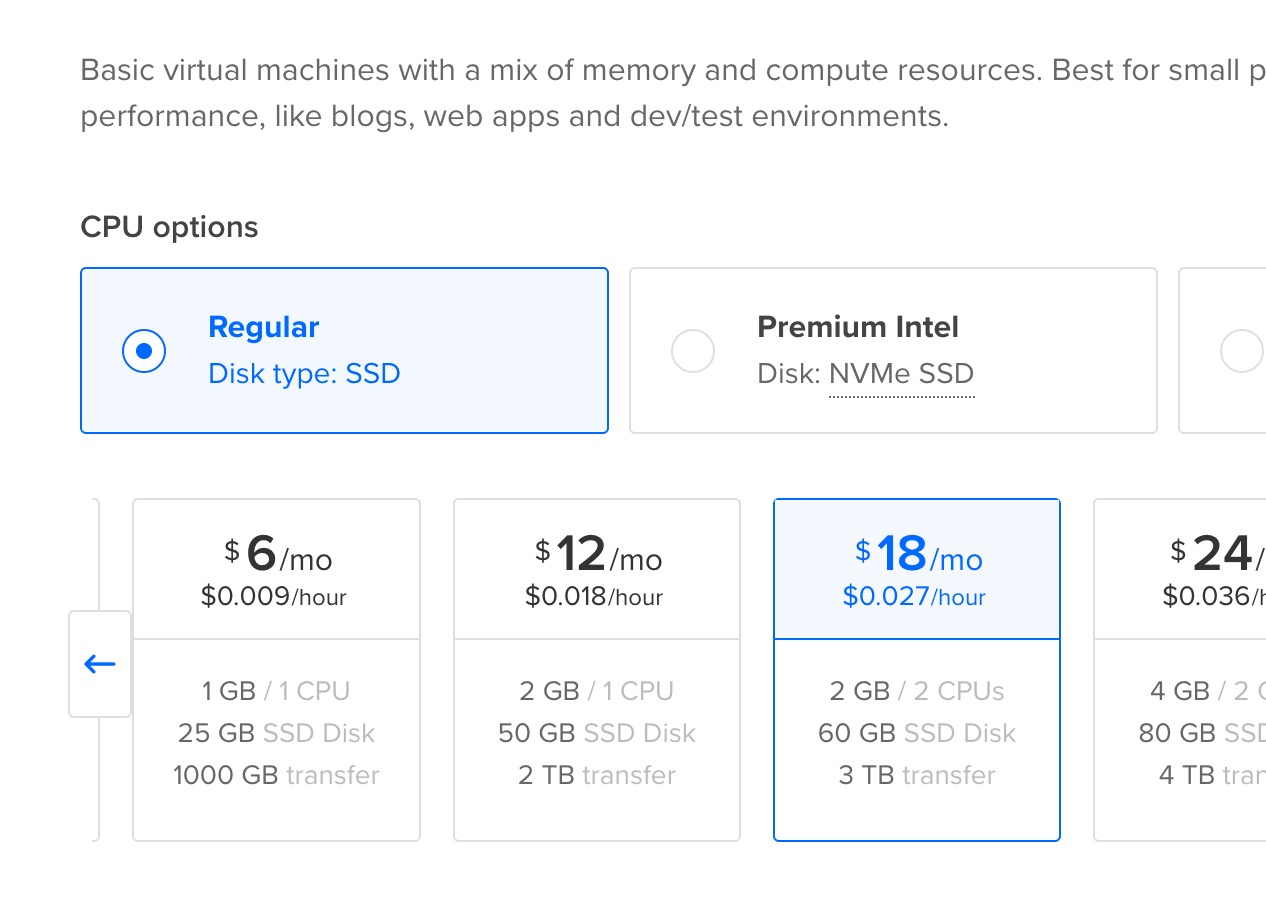 Provision virtual machine on your prefered cloud provider.
There are at least two required virtual machine for running metabase:
- VM for metabase require at least 1 gigs of ram and 1vCPU with pre-installed docker.
- VM for the databases with 1 vCPU and 1 gigs of ram.
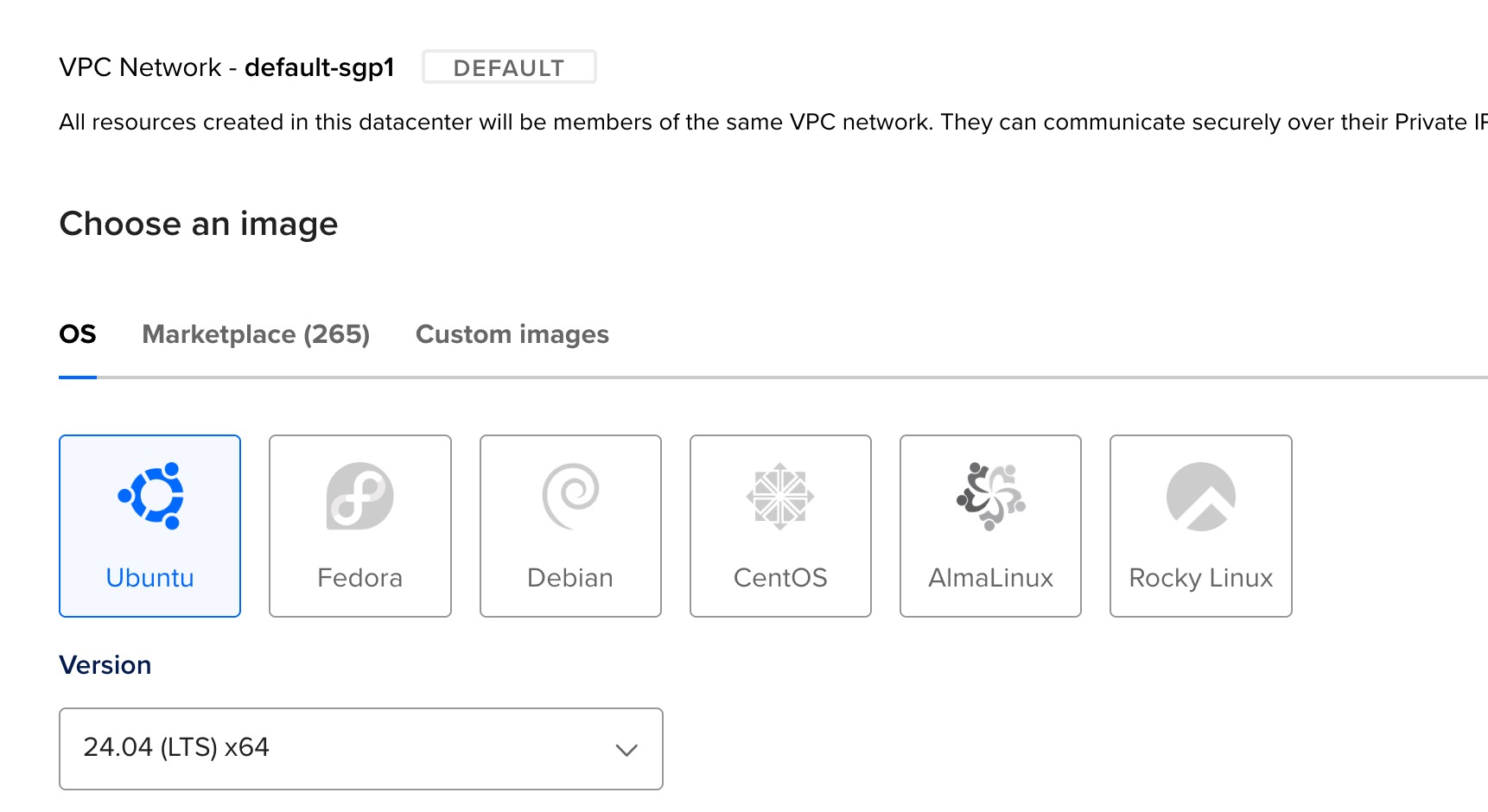 Ubuntu server is recommended as it has tons of available public guide and intensive documentation
for low budget setup, opensource linux server is recommended (ubuntu server, rocky linux or alma linux) as it doesnt require paid license like RHEL or windows server.
note: Managed databases is recommended on cloud settings as it will transfer all responsibilities to manage the database infrastrcuture, backup as well as the performance tuning (infra level). It will speed up the configuration process, so the organization can focus on the business logic / layer.
Provision managed database
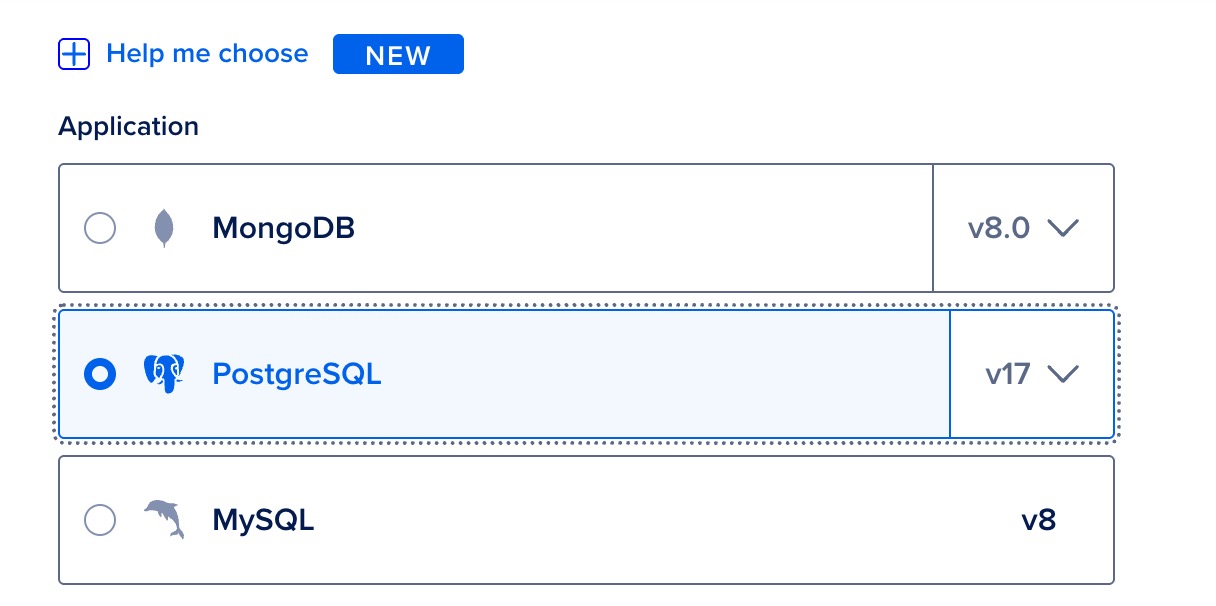 Managed PostgreSQL services on digital ocean
As mentioned on previous section. choosing database for metabase will highly depend on the storage size and its use. On this scenario, the datasets that going to be analyzed are rougly has data volume arround 8~10 gigs.
— PostgreSQL is the best open source option on these data volume range (even more powerful than mariadb).
On production deployment scenario where high availability is required and must be enabled to ensure decision making from the given analytics/dashboard are not interupted.
Fortunately, postgreSQL can have multiple nodes and often configured through master-slave replication. Data from the master nodes will be synchornized to all available slave nodes.
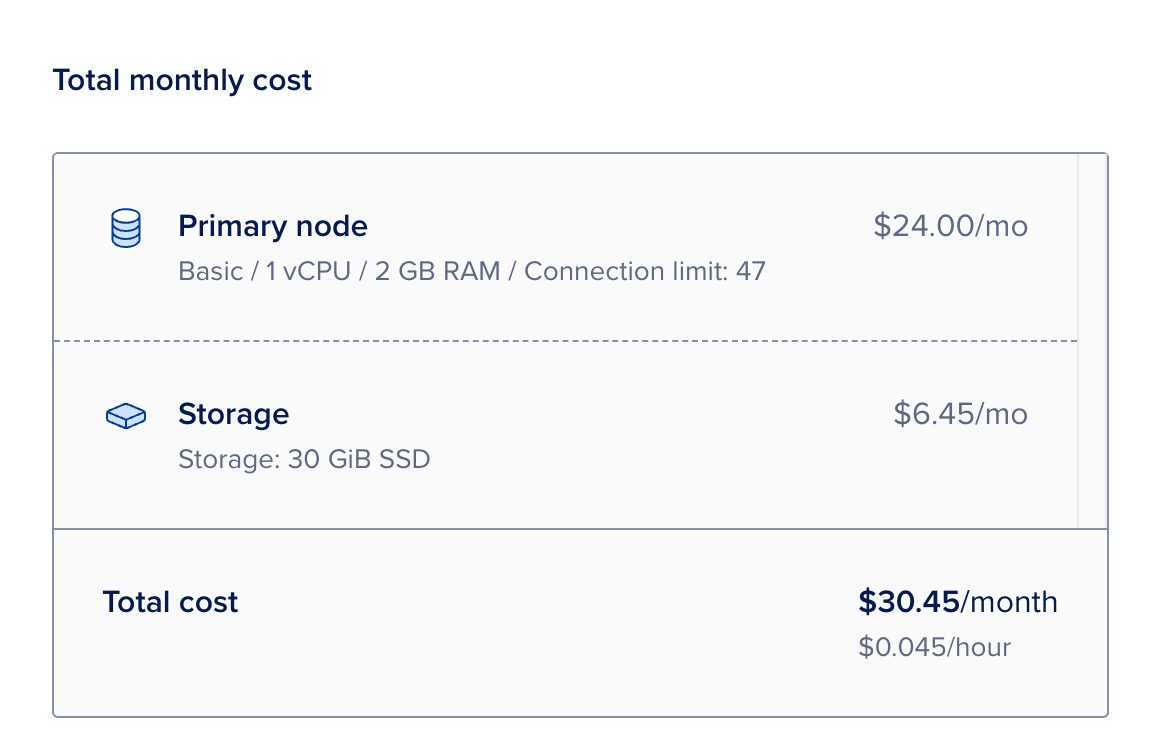 Most of managed postgreSQl database service offer high availability through replication
When the master nodes is down, pgbouncer will direct the request to the available slave nodes as well as taking over the unavailable master nodes (slave node become the master nodes)
Install docker on the target metabase VM
below are the steps to install docker specificly on ubuntu server version 24.04 LTS (steps might be different on different operating system)
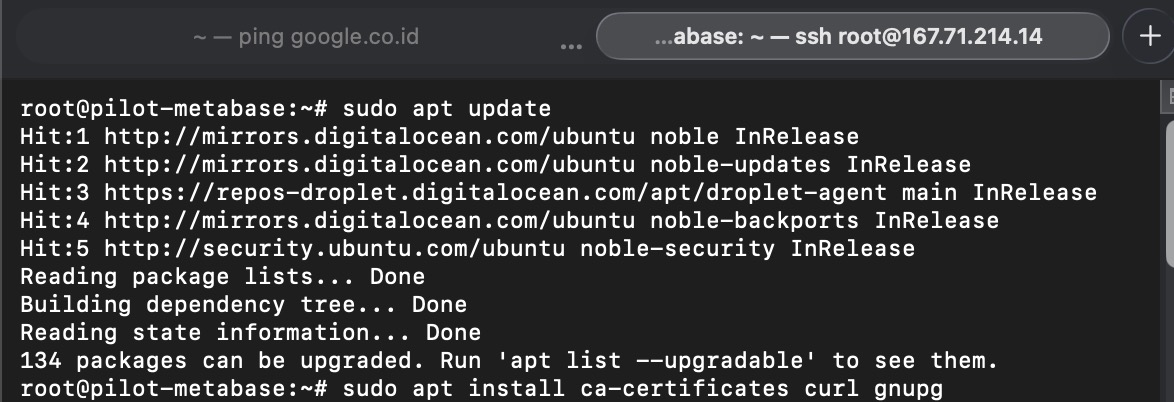 Update local package index on the ubuntu server
update the local package index of ubuntu (debian based linux, APT) with the latest package index from source repository
apt-get update
above command is required, to ensure the OS can see “docker” packages on the indexs as the default ubuntu server doesnt come with latest package index.
Next step is to install following packages from the updated package list
- curl : to download files over various protocol such as http, https, ftp, ftps, scp, scps, etc.
- ca-certificates: bundle of trusted certificated authority (CA). allow ubuntu server to download from trusted from any websites that served through HTTPS protocol in secure way
- gnupg: GNU package guard, basically pre-requisite before able to adding external repositories sources like docker into local package index.
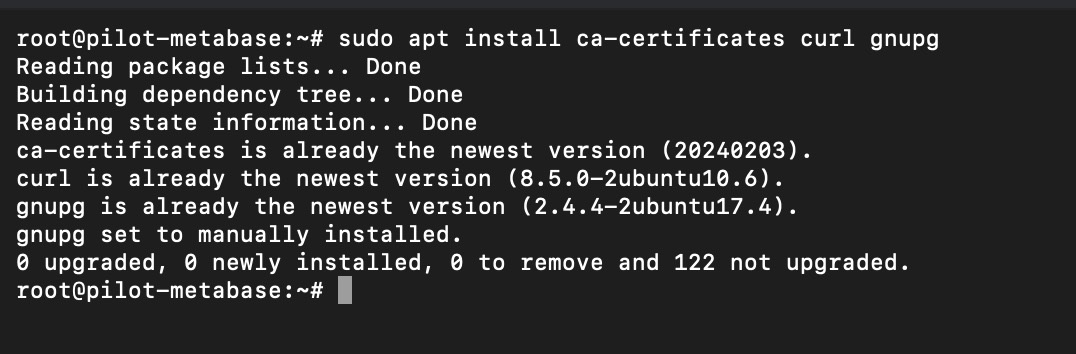
use following command to install these three required packages before able to add docker repositories on the APT.
apt-install ca-certificates curl gnupg
then execute following command adjust the permission for apt keyrings directory (used to store signing keys especially for adding new repository sources) into 755.
at this point, ubuntu server should already able to be connected with external repostiry

meaning only owner can modify, other can only read and execute the script inside that directory. 755 is the standard secure permission
install -m 0755 -d /etc/apt/keyrings
then to ensure ubuntu server get docker GPG (gnu package guard signature) to allow the OS to download docker packages via APT later on.
curl -fsSL https://download.docker.com/linux/ubuntu/gpg
then store the downloaded docker GPG keys into apt keyrings so that APT can read the keys.
sudo gpg --dearmor -o /etc/apt/keyrings/docker.gpg
then set permission to the docker GPG(GNU package guard) / signature to a+r (everyone can read it).
sudo chmod a+r /etc/apt/keyrings/docker.gpg
finally add the docker repo
echo "deb [arch=$(dpkg --print-architecture) signed-by=/etc/apt/keyrings/docker.gpg] https://download.docker.com/linux/ubuntu $(lsb_release -cs) stable" | sudo tee /etc/apt/sources.list.d/docker.list > /dev/null
at this point, ubuntu server should already able to be connected with external repostory
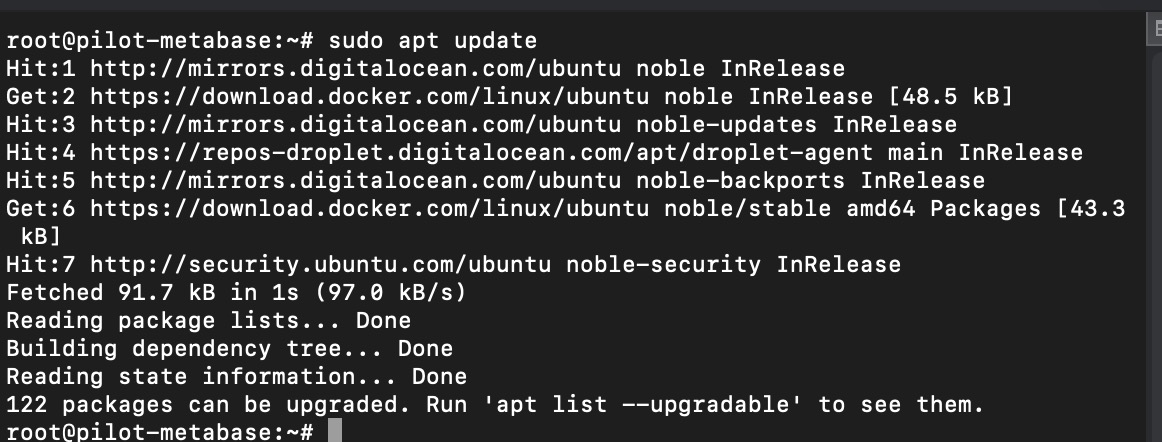 Update local package index on the ubuntu server
re-update ubuntu local package index using following commands
sudo apt update
check whether docker repository has been avaialble on the local package index.
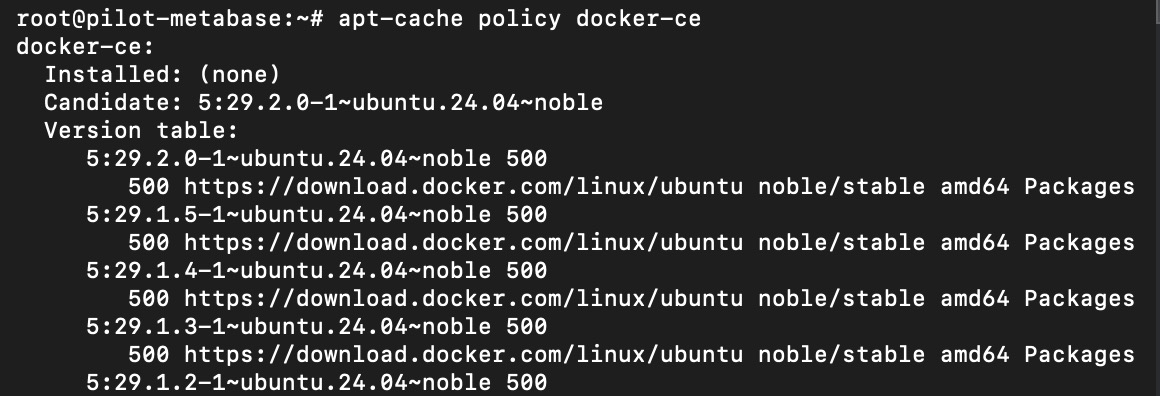 apt-cache command can be used to view the installation status of specific package.
a listed version table for docker-ce should be listed on the console response if the package has been available on local package index.
execute following command to check docker status package available on local package index
apt-cache policy docker-ce
finally install docker using following command
sudo apt install docker-ce
wait until installation is completed
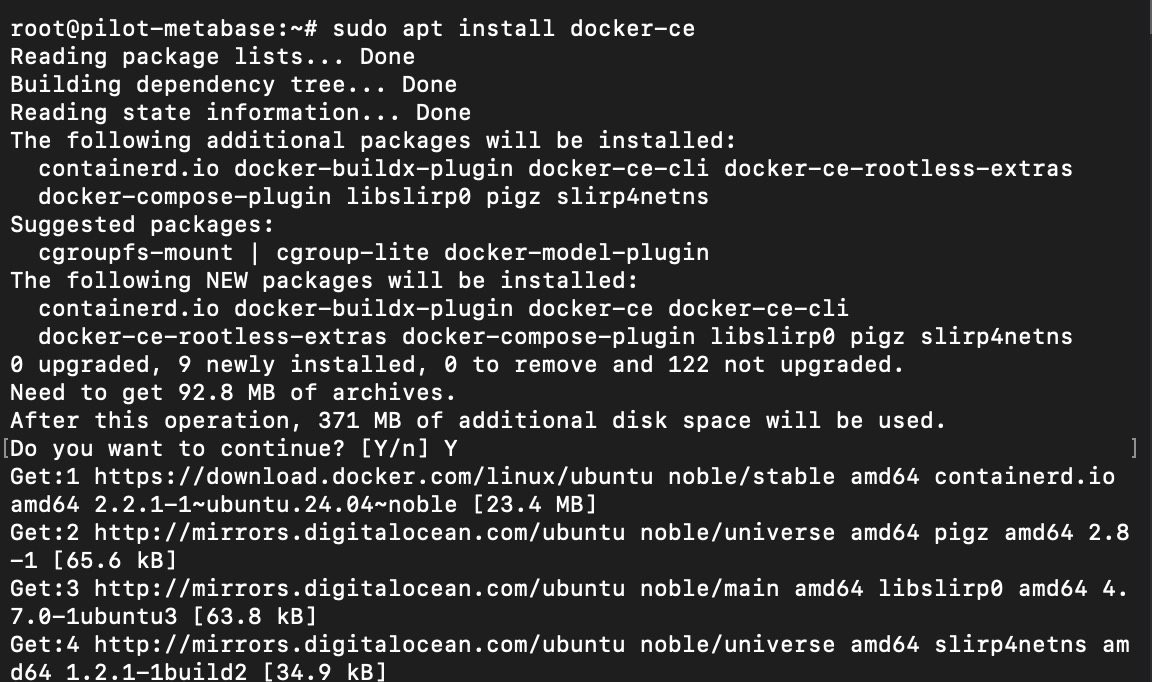 Installation should take couple of minutes as usually cloud VM is backed up high speed internet
validate if docker is running properly
docker images
above command will print out the system status of docker
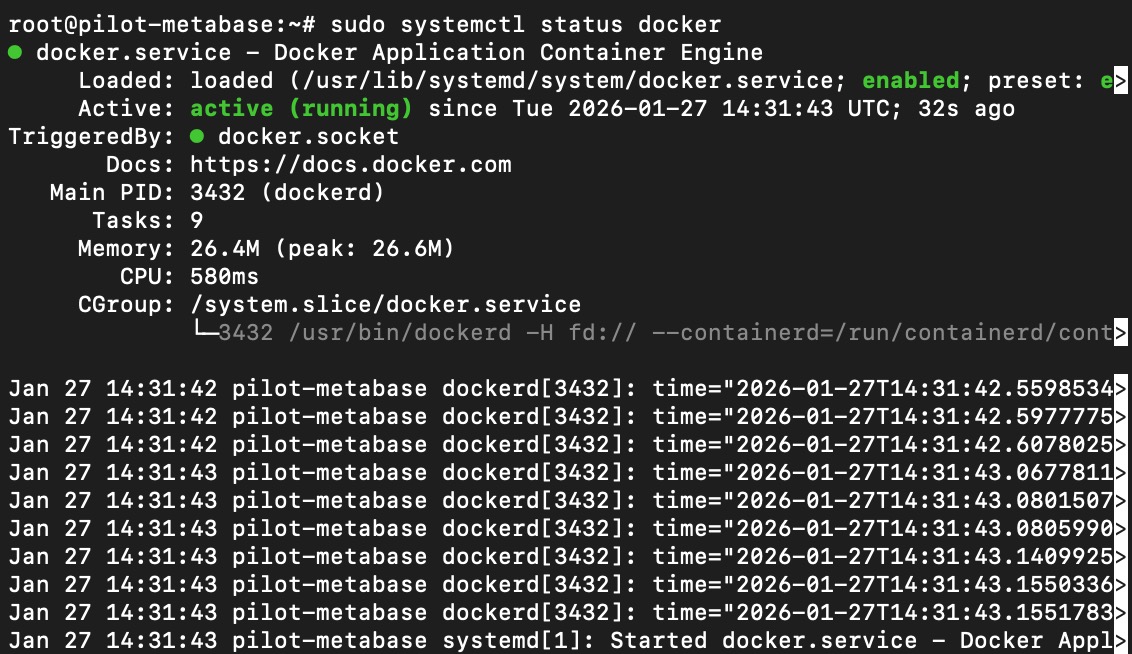
another option is to use systemctl command to check docker status
sudo systemctl status docker
as shown below, docker is running on the ubuntu server indicated by the green status color on the console.
 Installation should take couple of minutes as usually cloud VM is backed up high speed internet
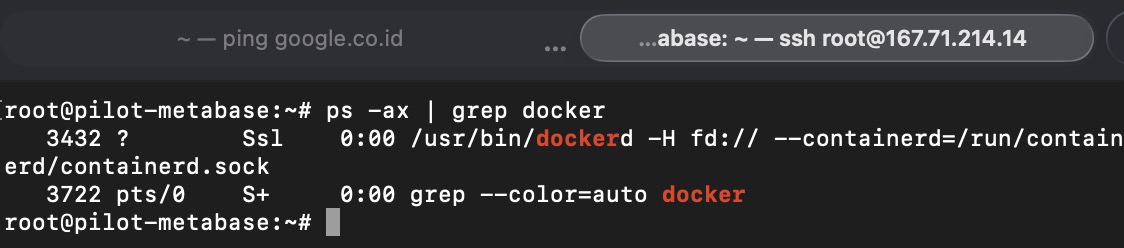
alternatively, just to be sure, triple check the docker system status by getting the docker status via ps -ax command
Install Metabase on the VM
Metabase is java based system that run on top of JVM (java virtual machine). Require at least minimum 1 vCPU and 1 gigs of vRAM.
Once the VM is provisioned, follow below steps to install metabase.
— ensure docker has been installed on the virtual machine, if not kindly check previous section to first install the docker system on ubuntu server.
Most recommended way to install metabase on virtual machine is using docker so we dont have to manage all the system dependencies as it has been includued on the metabase docker images.
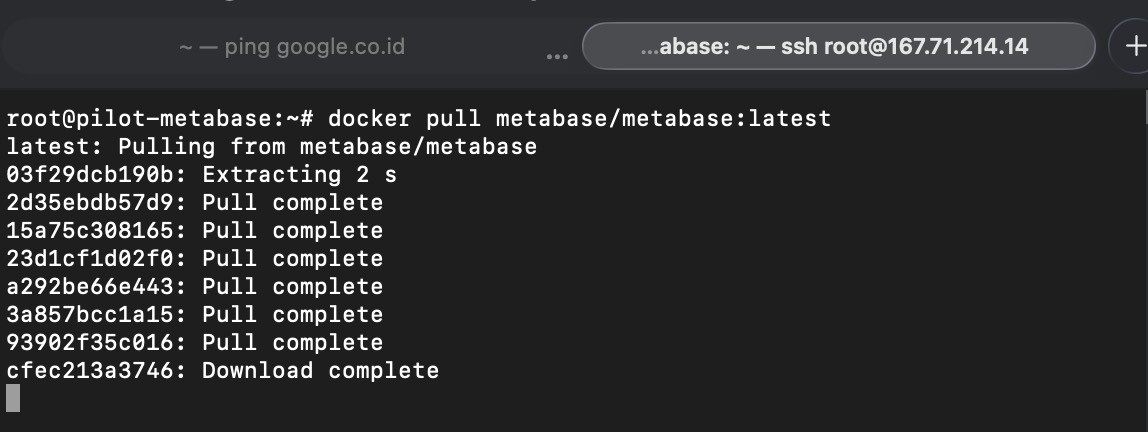 Metabase is containerized using docker and can be pulled from the public docker repository
pull latest metabase docker images by executing following command
docker pull metabase/metabase:latest
once the images has been pulled, execute following command to ensure run the metabase docker images
docker run -d -p 3000:3000 --name metabase metabase/metabase
next is to check if the container is successfully created and running properly.

execute following command
docker container list
Configure Metabase to use PostgreSQL
By default, metabase will use local storage called H2 database to store the data. These database are only meant for testing purpose as it has limited scaling capability.
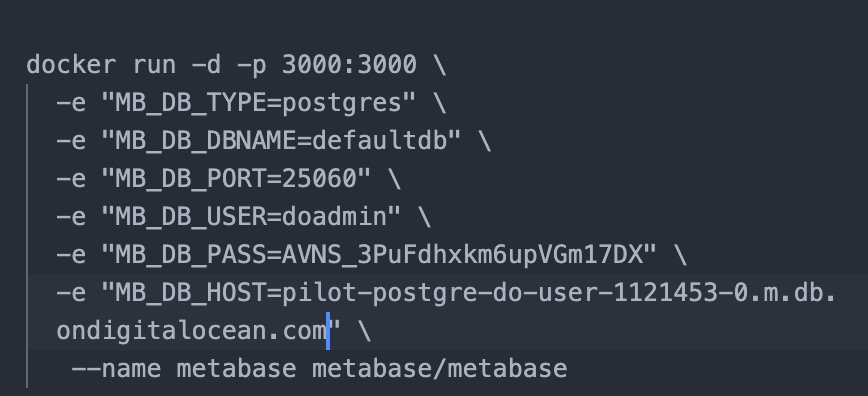
note: apart from adding new database via configuration on the cli command, later on it will also available through the UI (user interface)
Add following parameter to set the postgresql as the basline database for metabase when running the metabase docker images
docker run -d -p 3000:3000 \
-e "MB_DB_TYPE=postgres" \
-e "MB_DB_DBNAME=metabaseappdb" \
-e "MB_DB_PORT=5432" \
-e "MB_DB_USER=name" \
-e "MB_DB_PASS=password" \
-e "MB_DB_HOST=my-database-host" \
--name metabase metabase/metabase
Open Metabase
Depending on the specified port when running the docker images, metabase can be accessed through browser by go localhost/server ip-addressed with the given port (eg: localhost:3000) on browser.
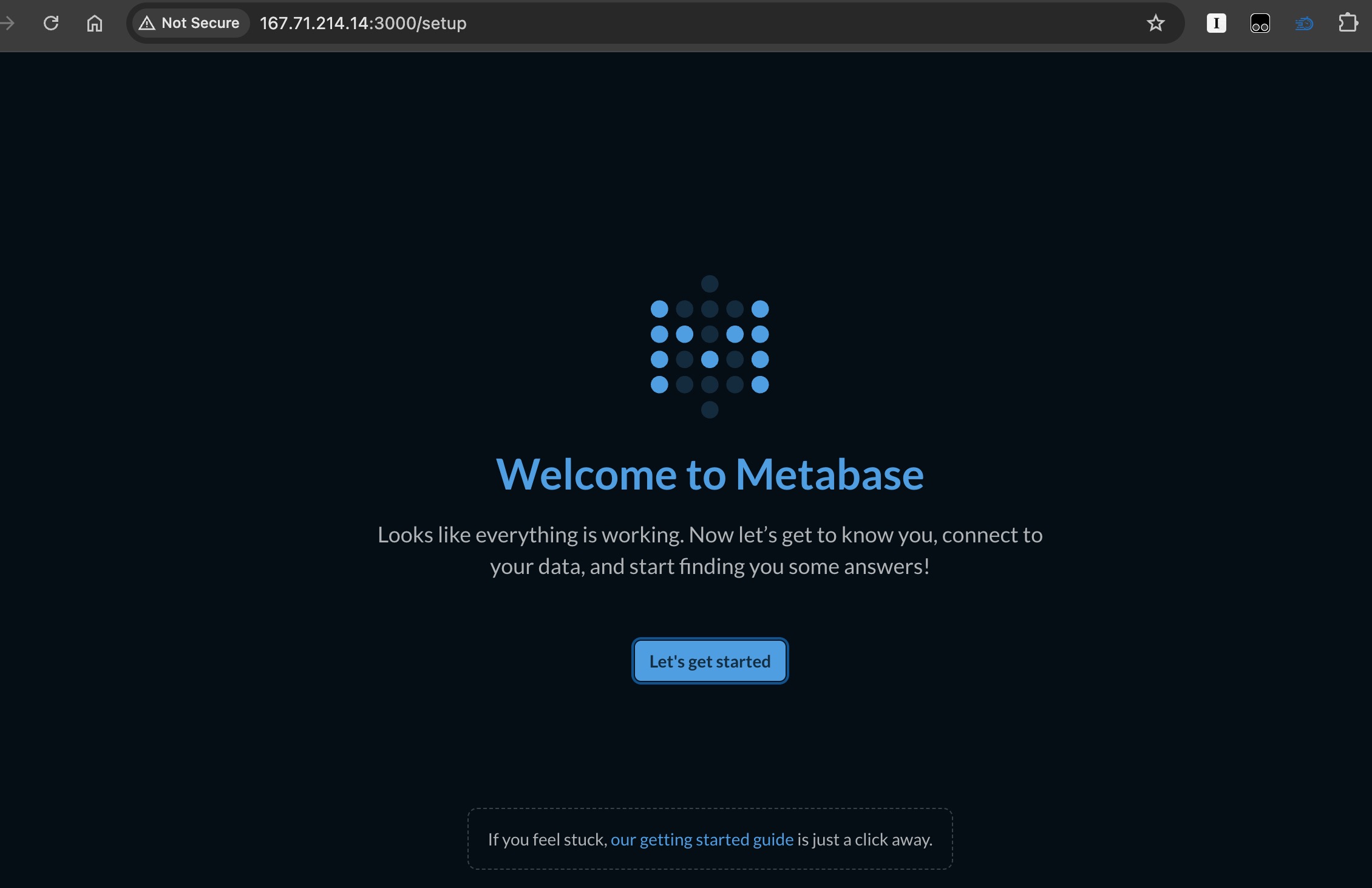 Metabase is up and runnign on port 3000.
its done
now metabase is ready to be used. Click the “lets get stared button” to start the configuration and begin the data anlytics journey with metabase!.
