React is Leading The Market but Angular is Top Choice for Enterprise Project
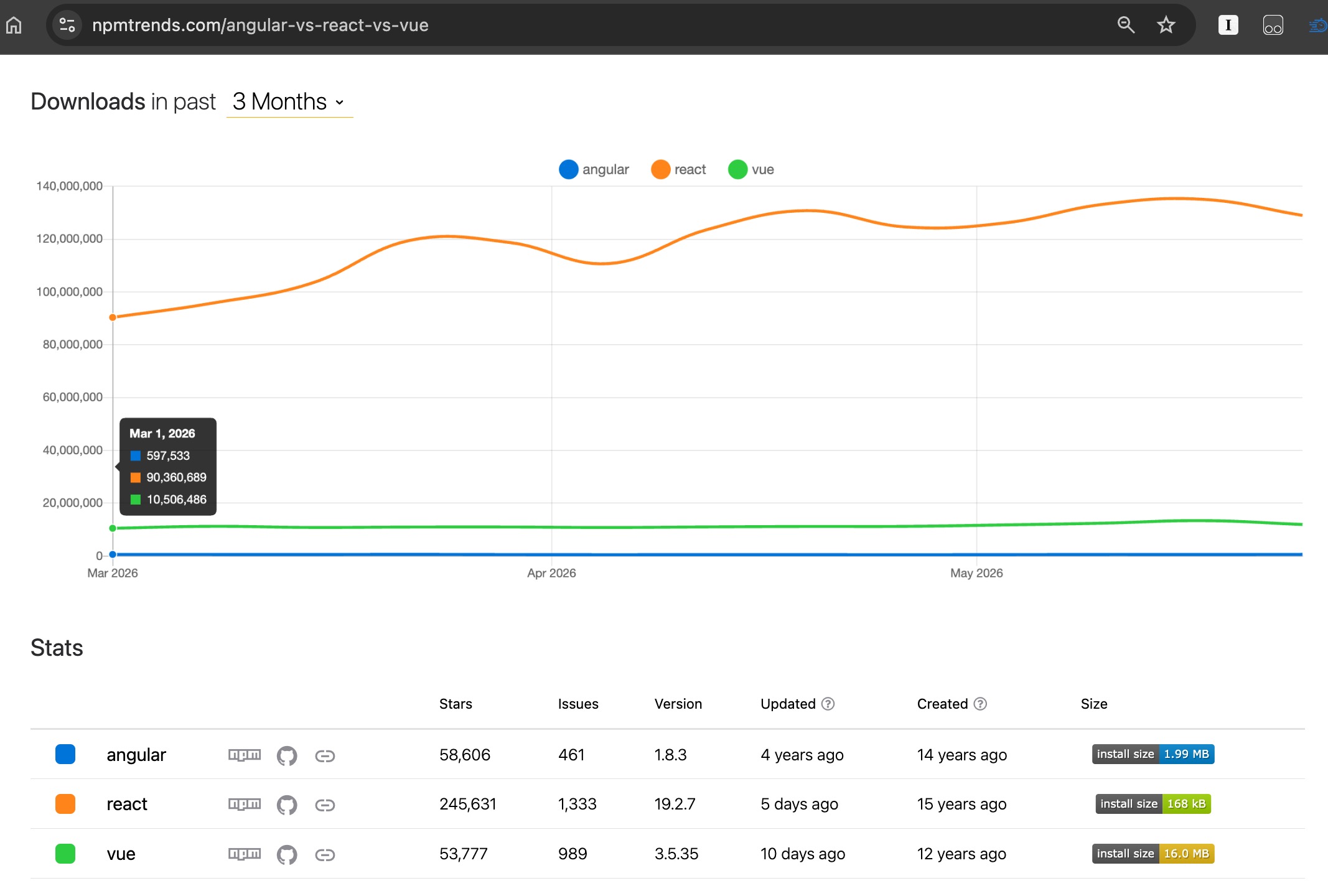 Angular is least popular framework based on the NPM download staticitics
As shown on the image above, Eventhough react is leading the web framework market, Angular is still the top choice to develop enterprise application (frontend-side) due to following reasons
- Unlike react that like a lego where additional blocks is needed to create a complete application, Angular is a complete framework that require almost none of additional/extra libraries.
- Backed up by one of the tech gigant that play in almost every information technology sector (cloud, AI, apps development, product, etc) which ensuring the long term support and add security, scalability and realibily “safety net” for years.
Steps to Install and Print Hello World On Browser Using Angular
Below are the steps to install angular
Install Angular CLI
Angular is nodejs based packages, hence below is the pre-requisite
- NodeJS - it is recommended to install the latest LTS version (long time support)
- git - industry standard repository on modern software engineering.
- NVM (to switch into nodejs with even version such as 20, 22)
Install NVM
Mac/Linux
curl -o- https://raw.githubusercontent.com/nvm-sh/nvm/v0.40.5/install.sh | bash
for windows based OS, use NVM windows. Check following links
https://github.com/coreybutler/nvm-windows
check if NVM is successfully installed (after restarting the terminal)
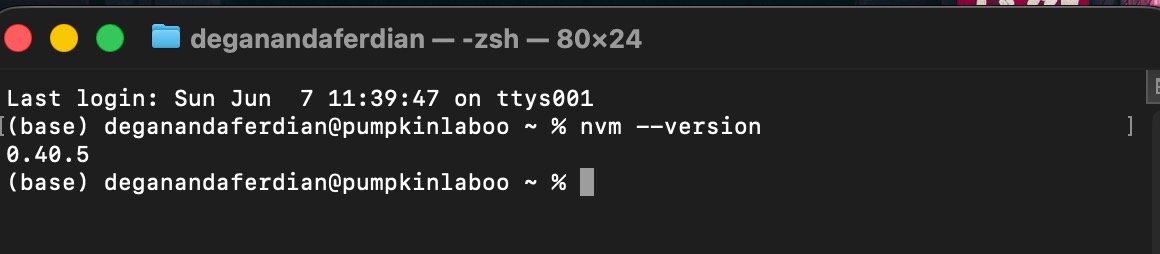 Check nvm installation status via terminal
install node version 22 (recommended, the latest nodejs with “even” version number as of the article’s published date)
nvm install 22
wait until the installation is completed
use node version 22
nvm use 22
check if the global nodejs is now using version 22 by using this command
node --version
now both of the nvm and global nodejs is pointed to version 22
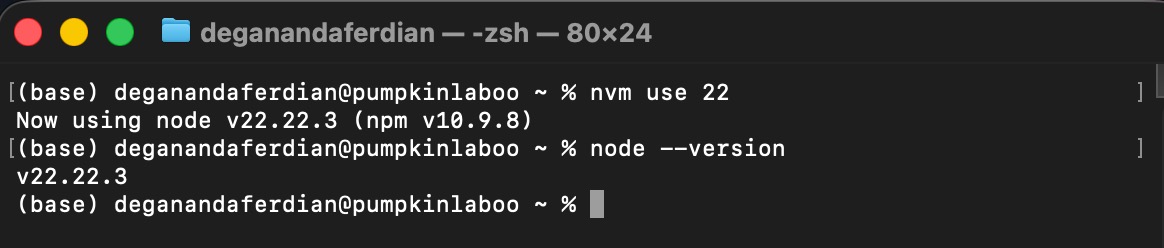 Check local nodejs version on NVM and globally
There is no different installation procedures between operating systems type. All OS (Mac/Linux/Windows) has same steps.
First step to setup angular development environment locally on laptop or personal computer (PC) is to install angular CLI (command line interfaces) as all operations related with the angular management is done through the command line interfaces.
use following command to install angular-cli (NodeJS and NPM must be installed first)
npm install -g @angular/cli
-g indicate that angular-cli will be installed globally. No need to install angular-cli again in new angular project.
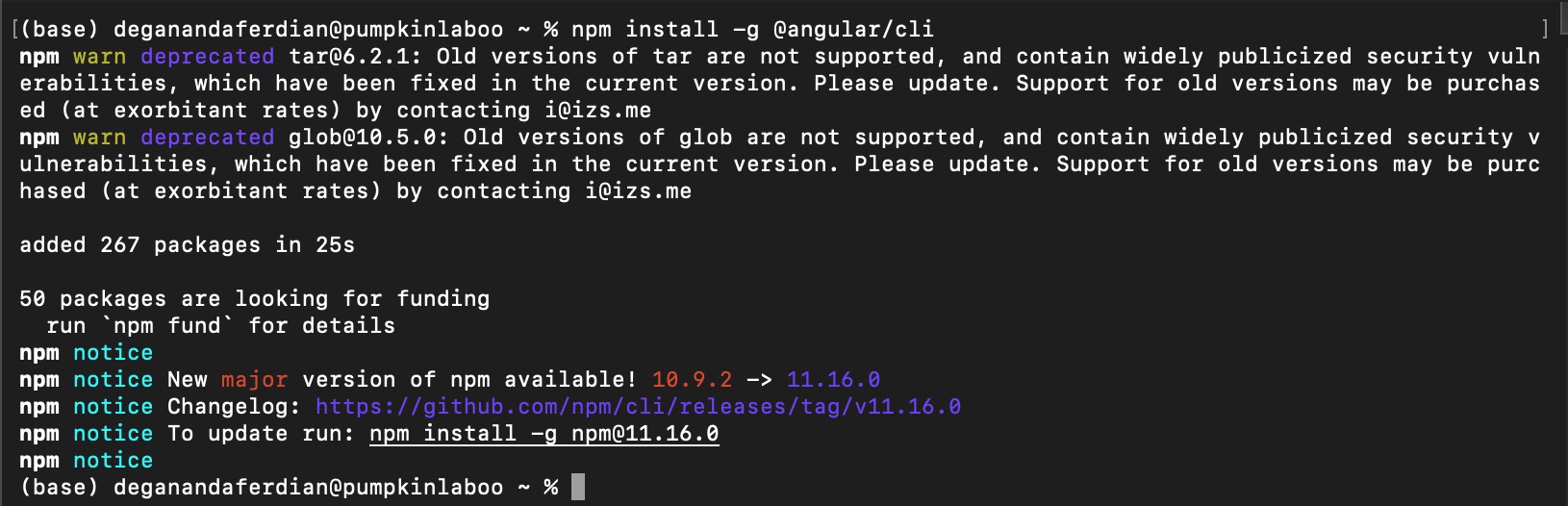 Installing angular-cli on mac OS
wait until the installation is completed.
execute following command to check whether angular-cli is successfully installed or not
ng version
if correct & supported (18.x, 20.x, 22,x) nodejs version is used ng version should shown no error
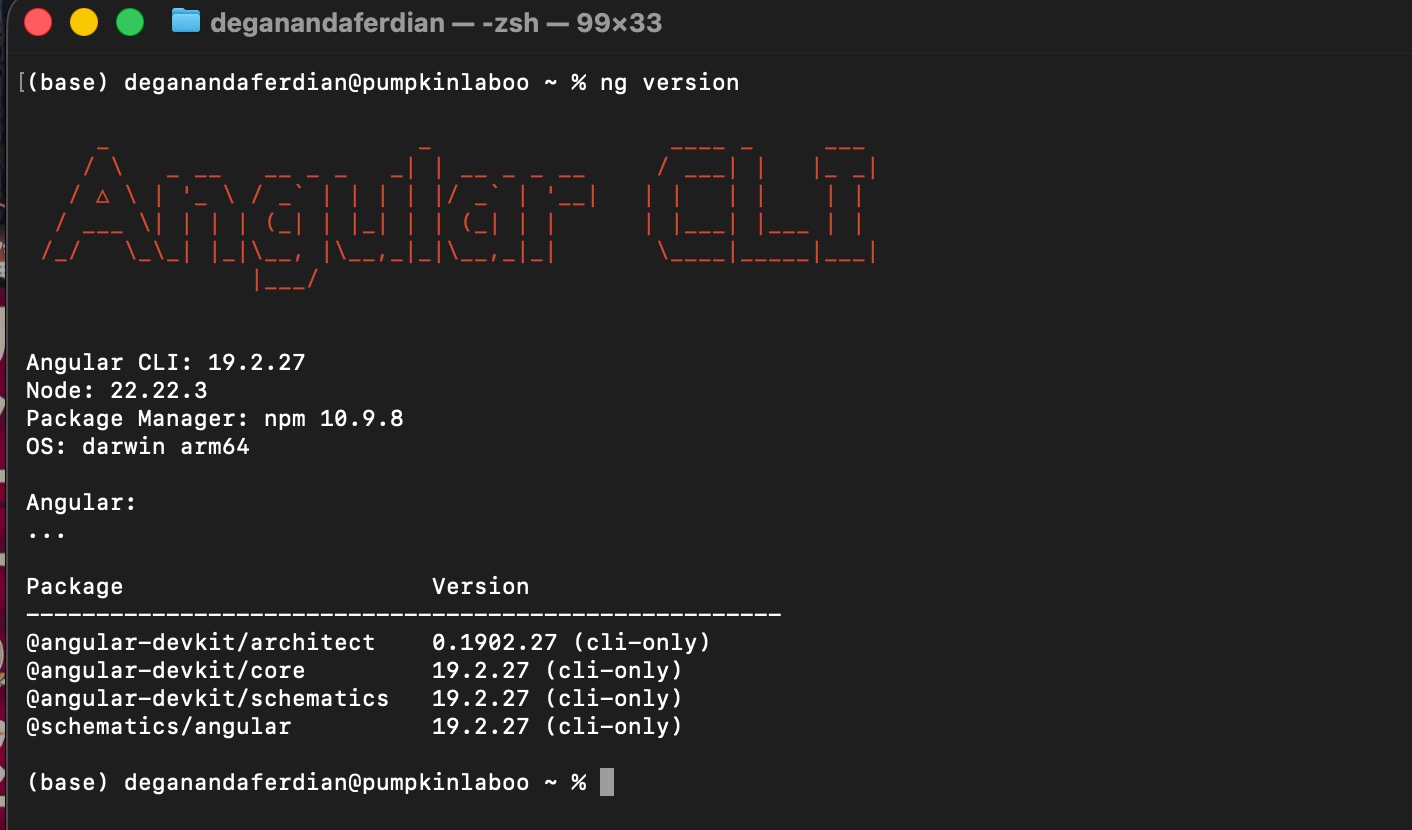 Successfull angular-cli installation result
otherwise it will return a warning on the console
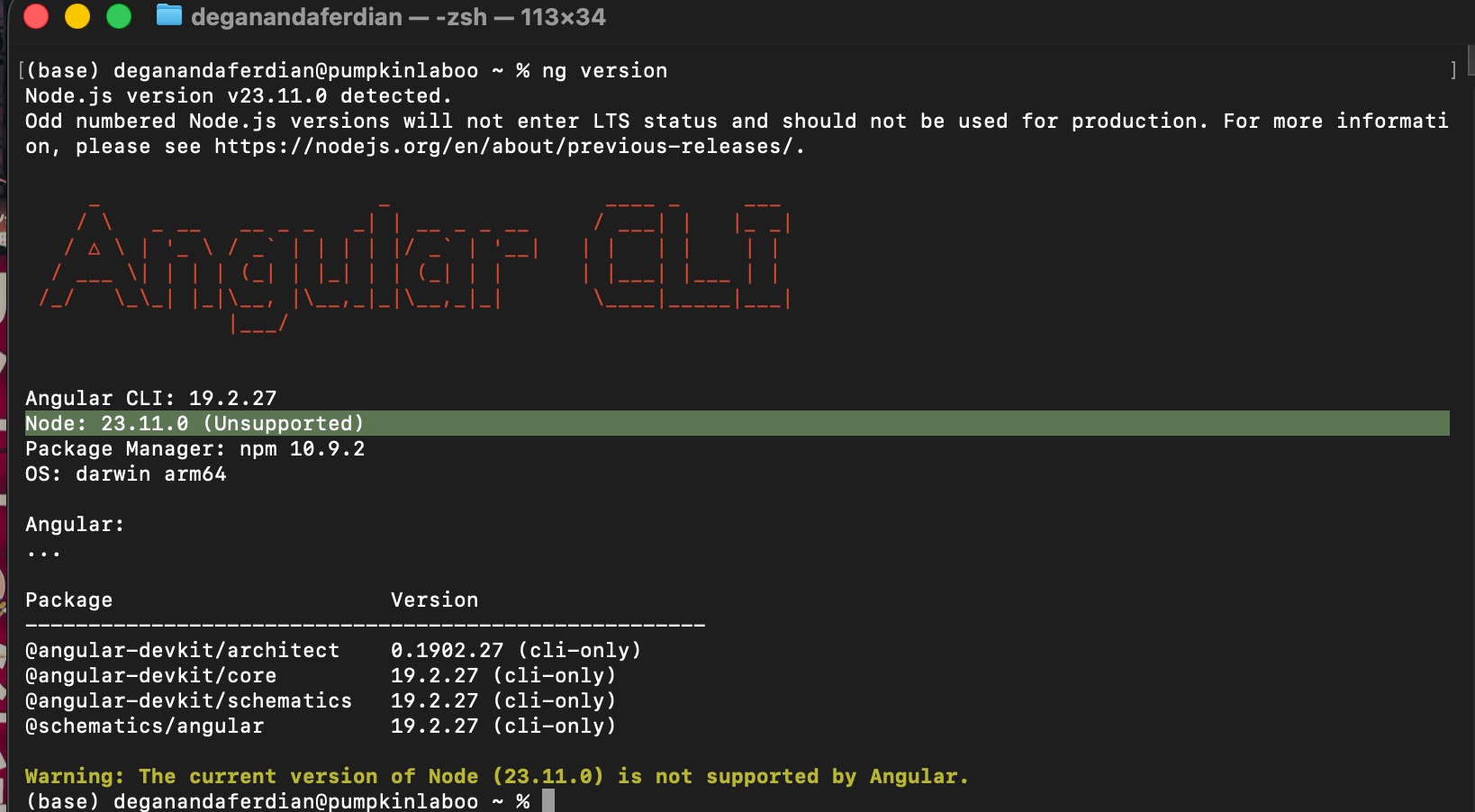 Failure angular-cli installation result
continuining with non supported nodejs version will have impact during the development, build and deployment of angular. it is recommended to switch into supported version (even number).
Create New Angular Project & Recommended CLI configuration
If no error shown on the angular-cli means angular project can be created. Use following command to create new angular project
here are the recommended configuration for the angular projects
- Enable autocompletion? enable auto complete when typing the ng command. super useful
- Share pseudonymus usage to angular? (not recommended as it will make the local pc consume more memory for development)
- CSS/SCSS? scss is recommended. it has richer feature such as global variable to control same css style like padding, color and so on.
- enable SSR/SSG? depend on the project nature. if its customer facing page and require strong SEO performance its recommended to enable to SSR and SSG.
note: no need to create a new directory because the ng new command will automatically create new folder
wait until the angular project creation is completed.
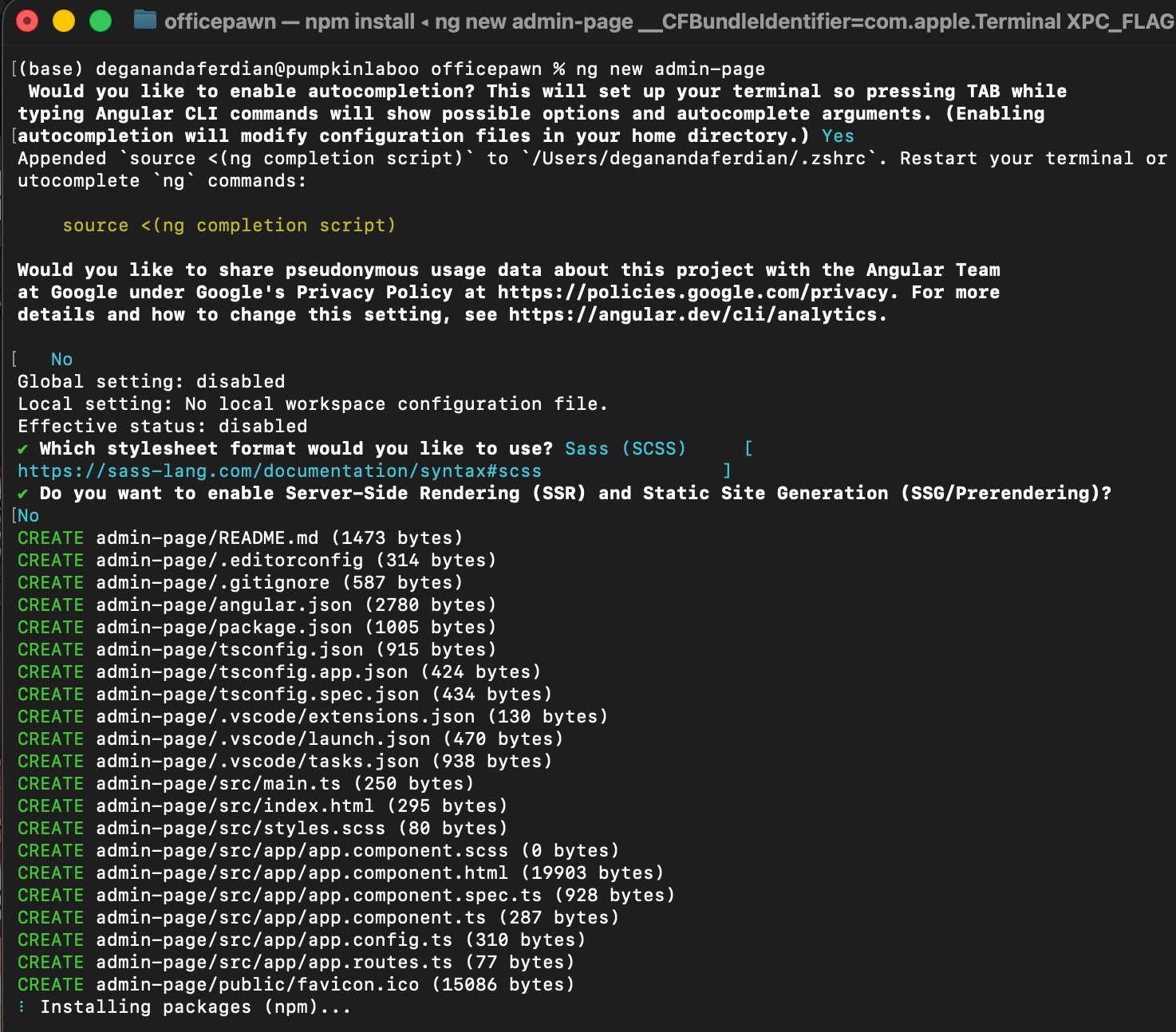 Angular project creation with ng new command is successful
if the new angular project initialization and installation is sucessfull, following success message should be appear on the terminal
✔ Packages installed successfully.
    Directory is already under version control. Skipping initialization of git.
Print hello world on browser
The moment that every software developer is waiting for. Go to following file path
/src/app/app.component.html
find below lines of code
	<h1>Hello, </h1>
  <p>Congratulations! Your app is running. 🎉</p>
change it into “hello world”
<h1>HELLO WORLD</h1>
or even better, ctrl + A then remove every line of code except following line
<router-outlet />
then write the hello world page!
<div>
  <h1> Hello World!, this is angular project </h1>
</div>
<router-outlet />
use following command to start local angular dev server
npm start
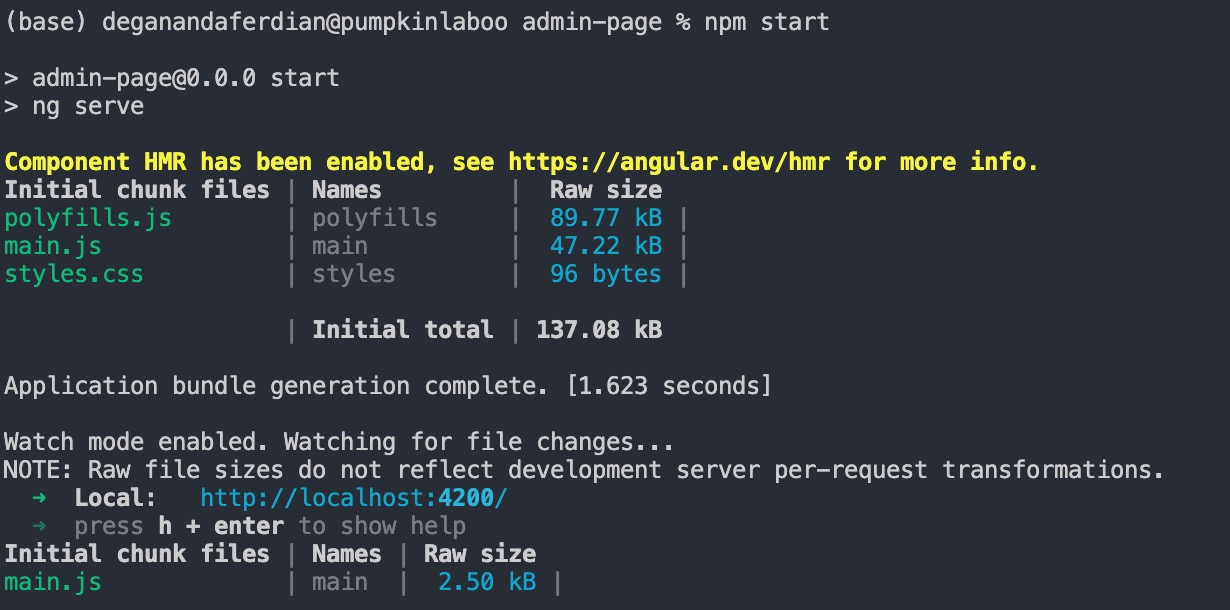 Start local server on the angular project
open browser and access localhost with port 4200
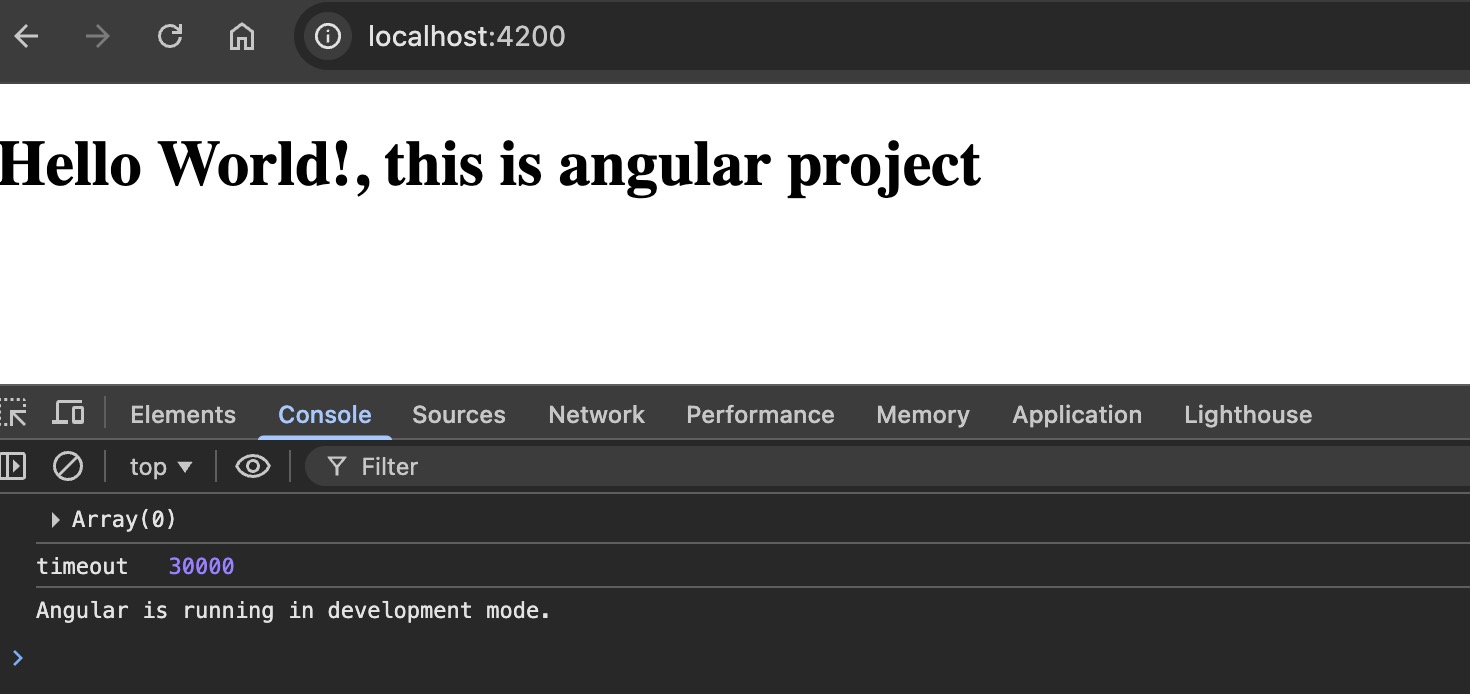
done. clean angular program that showing hello world text is now up and running