Environment Prepration
create python environment that has same version with the python runtime located on the server using conda (recommended as it can maange multiple python environment unline python virtual env).
conda create --name ayo-makaryo python=3.12.12
in this case, python 3.12.12 will be choosen.
activate the recently created conda project
conda activate ayo-makaryo
Ensure the python and pip command is pointed to right conda environment directory using following command
which pip
which python
if “pip” and “python” still pointed to the system wide python, try to restart the terminal and re-active the conda environment and also clear the terminal cache.
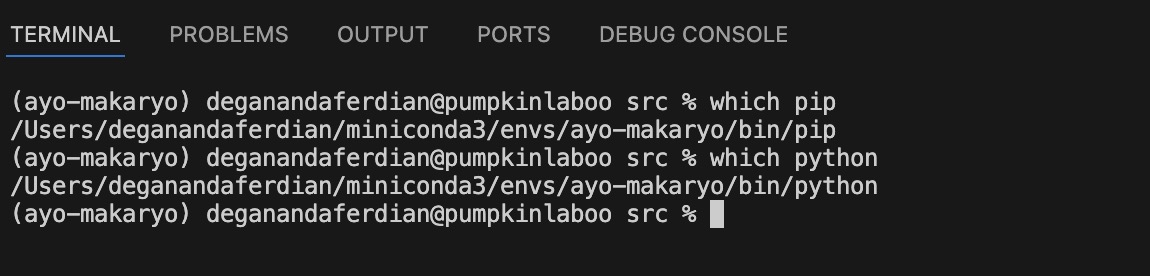 Both pip and python command already pointed to correct conda environment folder
one last checking: if visual studio code(VSC) is used as the development IDE, ensure the python runtime for the VSC is pointed to the recently created conda environment otherwise the IDE will throw linting error and the autocomplete won’t working.
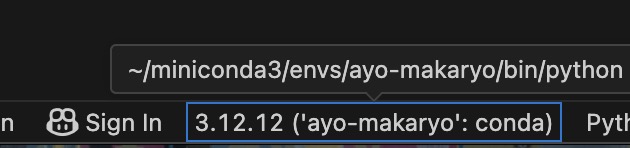 image vsc has been repointed to the correct conda environment
Installing Beautiful Soup Library for HTML Parsing
there are various python html-parser available on the market. The most used and widely adopted is called beautiful-soup due to the light weight performance. Beautiful soup is a wrapper for several html parser such as : html.parser, lxml and html5lib. It allow the developer to all three packages depending on the scenario.
Beautiful-soup has straight forward syntax. So its easy to use.
To achive best performance beautiful soup + lxml is recommended because lxml is written using C libraries. hence its has the fastest performance among the three. However, the size of to-be parsed html file will also determine whether lxml is required. If the file is just less than 2 mb, built in html.parser suppose to be enough.
use following command to install beautiful soup on the conda project using pip (dont forget to activate the conda environment before executing the command)
pip install beautifulsoup4
pip is the prefereable way to install beautifulsoup4 unless lxml is going to be used which require C libraries.
validate the beautifulsoup installation by executing following command
pip list | grep soup
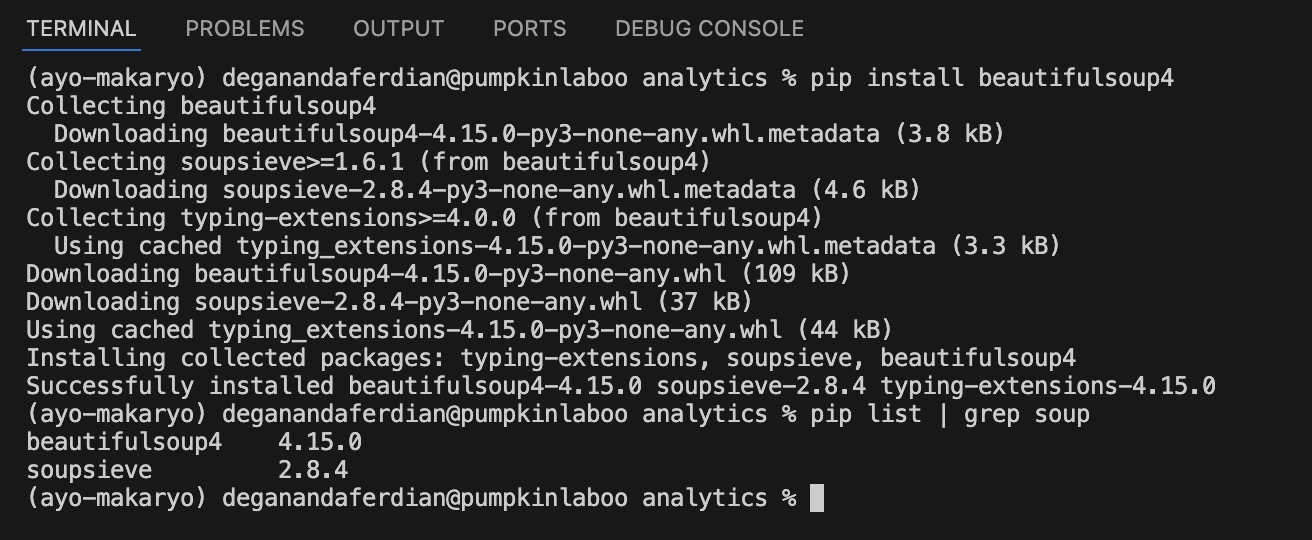 image beautiful soup is successfully installed as it show on the active pip libaries list
Parse the HTML File
install lxml (assuming the size of HTML is greater than 2 mb)
pip install lxml
create a blank python file called extract.py
touch extract
load the html file
from bs4 import BeautifulSoup

with open("./s_output/target_file.html", "r", encoding="utf-8") as file:
    soup = BeautifulSoup(file, "lxml")
locate target html elements
items = soup.select('.target-class')
in the the dom has multiple target-class, it can be iterated
for item in items:
	urn_value = item['some-parameter']
can also create a new selector without re initializing new beautifulsoup inside the target-class
job_title_element = item.select_one('.child-of-target-class')
get only text value by removing all html syntax (useful for scrapping)
location_element.text.strip()
note: its recommended to only execute .text command if only if the element exist. Hence, its better to separate the selector and getText command
child_element = item.select_one('.child-of-target-class')
child_element_text_value = child_element.text.strip() if child_element else "child element of target class not found"
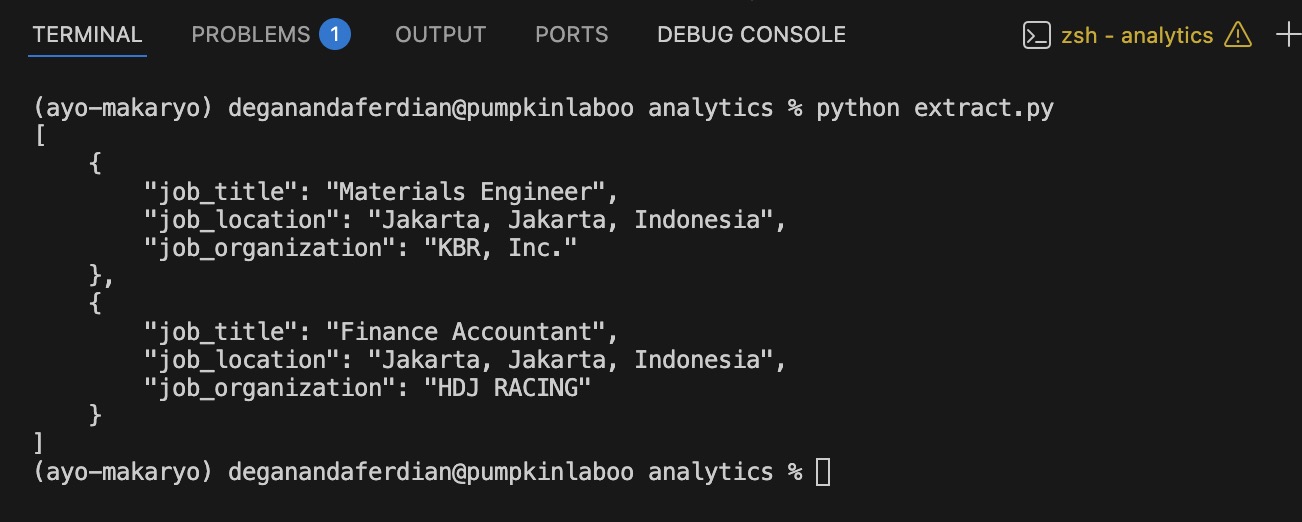
below is the sample of parsing in action using beautiful soup with LXML.