Jupyter notebook is an interactive integrated development environment that commonly used by data scientist to perfom subset of machine learning workflow including (but not limited) EDA, data transformation and training
Ipynb files (file format of the jupyter notebook) can easily be viewed using any md viewer. However, it can’t be directly read by browser unless the ipynb file is converted into HTML (hypertext markup language)
Converting Ipynb to HTML
below is the step by step to convert ipynb file into html file which ready to be read on browser or embedded into blog post such as jekyll, wordpress, etc
Pre-requisite
The conversion will use jupyter library (python based).
install jupyter (this will include both notebook and jupyterlab)
pip install jupyter
check if the system has jupyter by executing following command
jupyter --version
it should return all the neccesary library that used bu jupyter, as shown below.
(base) deganandaferdian@degananda degananda.com % jupyter --version
Selected Jupyter core packages...
IPython          : 9.2.0
ipykernel        : 6.29.5
ipywidgets       : not installed
jupyter_client   : 8.6.3
jupyter_core     : 5.7.2
jupyter_server   : 2.16.0
jupyterlab       : 4.4.2
nbclient         : 0.10.2
nbconvert        : 7.16.6
nbformat         : 5.10.4
notebook         : not installed
qtconsole        : not installed
traitlets        : 5.14.3
Ipynb Conversion to Markdown
locate the target ipynb, for example on this case is located on following path:
/assets/notebook/battery.soc.coulomb.ipynb
execute the conversion command (inside the directory which store the ipynb file)
jupyter nbconvert battery.soc.coulomb.ipynb --to markdown
if the command executed successfully, it should be able to generate the md files
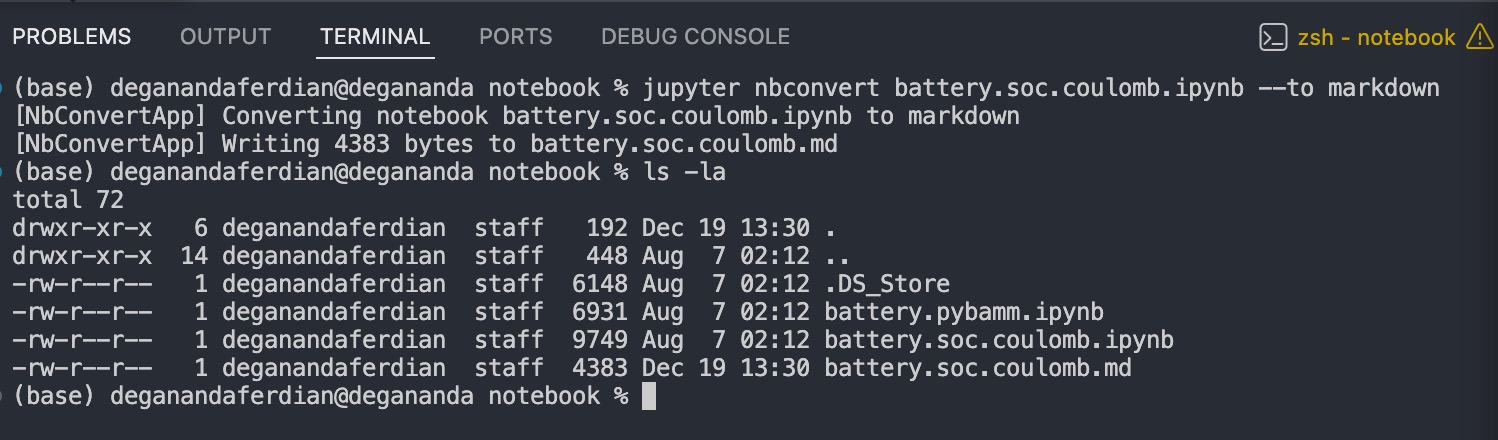 Ipynb file is successfully converted into markdown
Ipynb Conversion to HTML
Similar cli (command line interface) command but with adjusted parameter
jupyter nbconvert battery.soc.coulomb.ipynb --to html
it should generate html file instead of the markdown file.
(base) deganandaferdian@degananda notebook % jupyter nbconvert battery.soc.coulomb.ipynb --to html
[NbConvertApp] Converting notebook battery.soc.coulomb.ipynb to html
[NbConvertApp] Writing 298634 bytes to battery.soc.coulomb.html
these html can be directly viewed on the browser
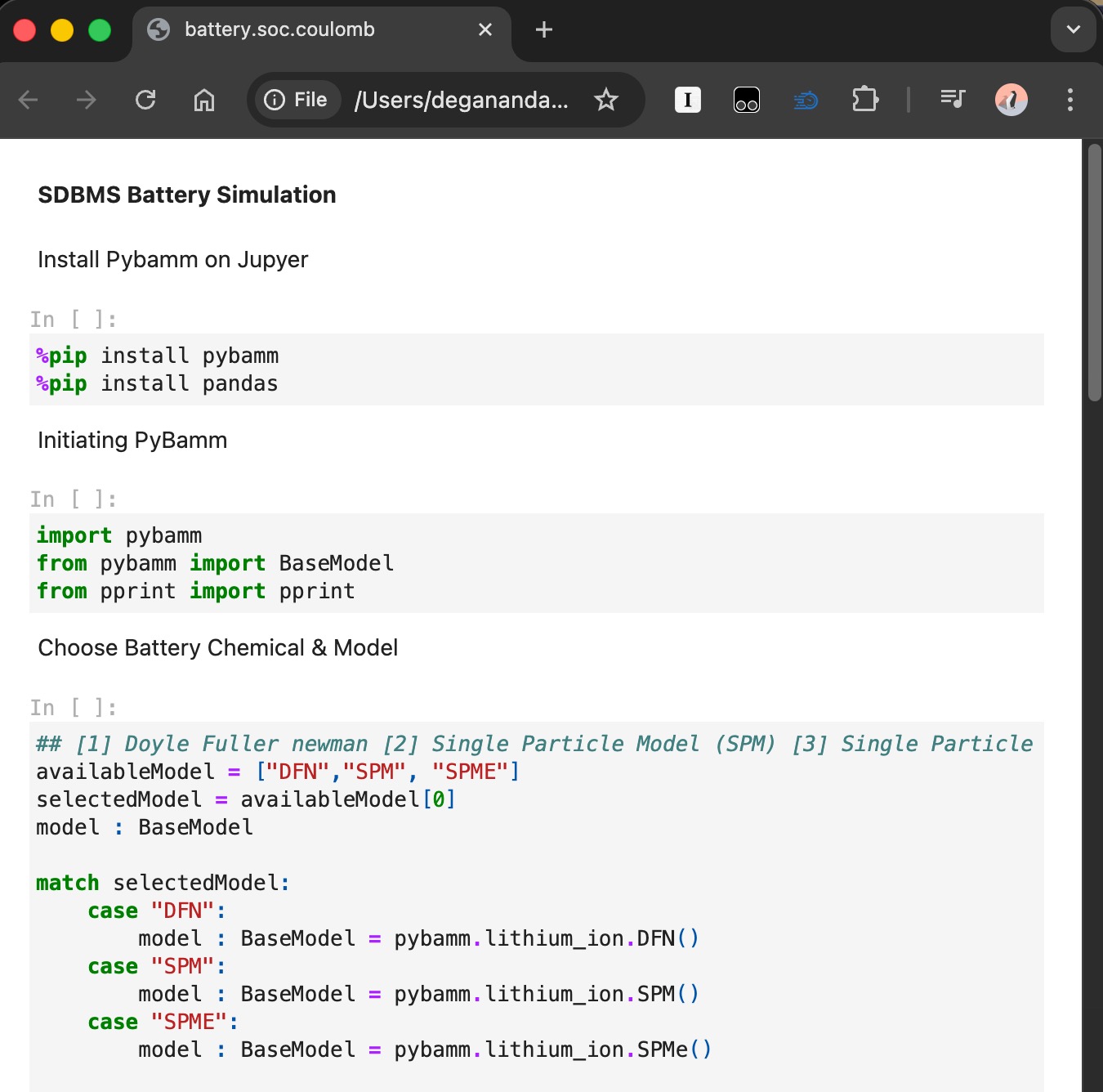 jupyter notebook as html file now can be viewed on any browser
Embed to blog
depending on the frontend framework (jekyll, angular, react, nextjs, etc) used, these md or html files can be embedded directly
for example on Jekyll (dont forget, add the liquid syntax)
include _includes/notebook/battery.soc.coulomb.md
embed html file to the markdown (dont forget, add the liquid syntax)
include _includes/notebook/battery.soc.coulomb.html
note:
the markdown file or html file must be store under _includes folder because jekyll will only able to “include” file from these directory
it is recommended to use markdown instead of html because the generated html is consisting all the html structure syntax such as head, title, meta, body. It will ruin your blog search engine optimization (SEO)