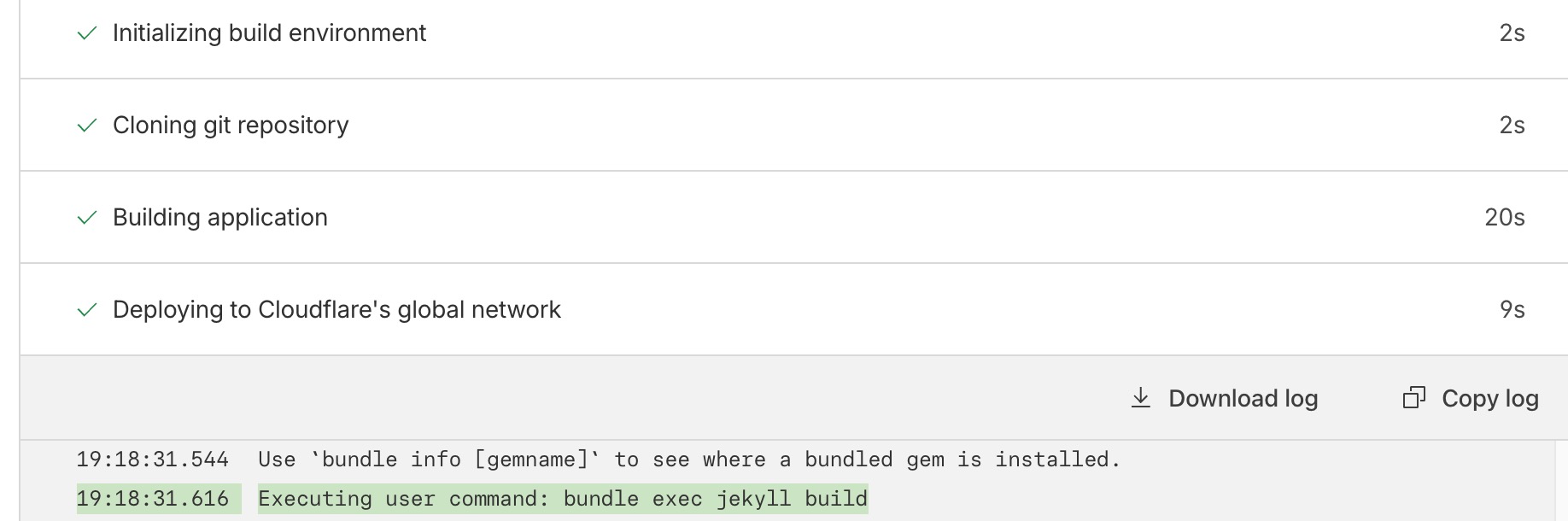
Jekyll Dependency Issues Root Causes
One of the common jekyll issue which often encountered during build and deployment issue is dependency issue and often described as following error message on the console or cli (command line interfaces)
You have already activated <package_name> <package_version>, but your Gemfile requires <package_name> <package_version>
below is an example when dependencies issues occured during jekyll deployment on cloudflare.
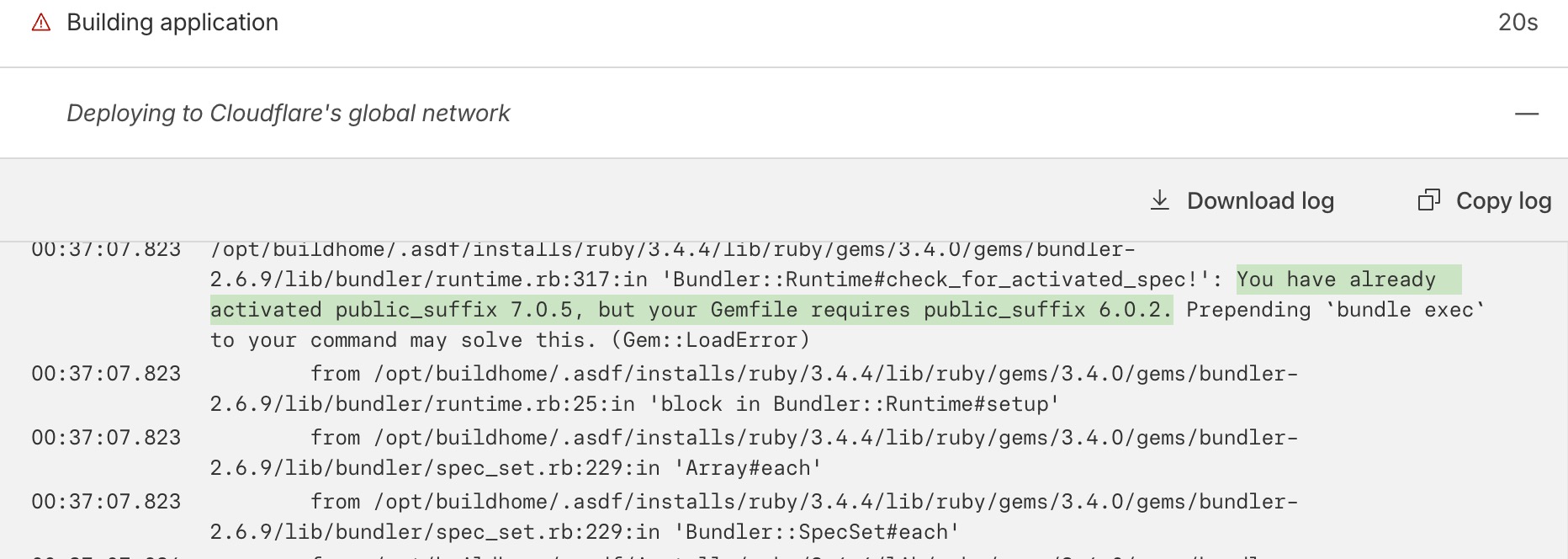 Jekyll packages build failed due to ruby library dependency issue
what actually happened and why the dependecies issue triggered due to following conditions:
- a changes was pushed to the designated branch (on this case is master)
- Cloudflare pages deployment engine trigger jekyll build command
- due to the “jekyll build” command Gemfile.lock is bypassed
- global ruby “public_suffix” installed with version 7.0.5
- the version is mismatch with Gemfile.lock specifications
- Dependency error triggered
Solving Jekyll Dependency Issue on Cloudflare
Below are the resolution to fix jekyll package dependencies issue specifically during jekyll build command which hinder the site to be deployed on the cloudflare.
Adjusting the build command to read the Gemlock file
The general best practices over ruby package management within a project is to always build specifically using the project package dependencies. Project A and project B library requirement version can be different. For example, project A might use “public_suffix” library version 7, while project B can use the lower version due to the technical requirement and other considerations.
In order to have independent dependencies between one ruby project to another ruby project, the build command need to be updated from following command (which utilize global ruby dependency, can interfere with the project dependencies requirement)
jekyll build
into new command (to use local ruby package dependencies)
bundle exec jekyll build
Note: bundler is pre-installed on cloudflare pages, on different infrastructure stack, the bundler must be installed first using following command
gem install bundler
Applying the build command on cloudflare that utilize local Gemfile
login to the cloudflare and click on the target jekyll “pages” which will be updated.
 Find the to-be updated jekyll page
click on the vertical elipsys (three dots) and choose view settings

Then adjust the deployment command from “jekyll build” into “bundle exec jekyll build”
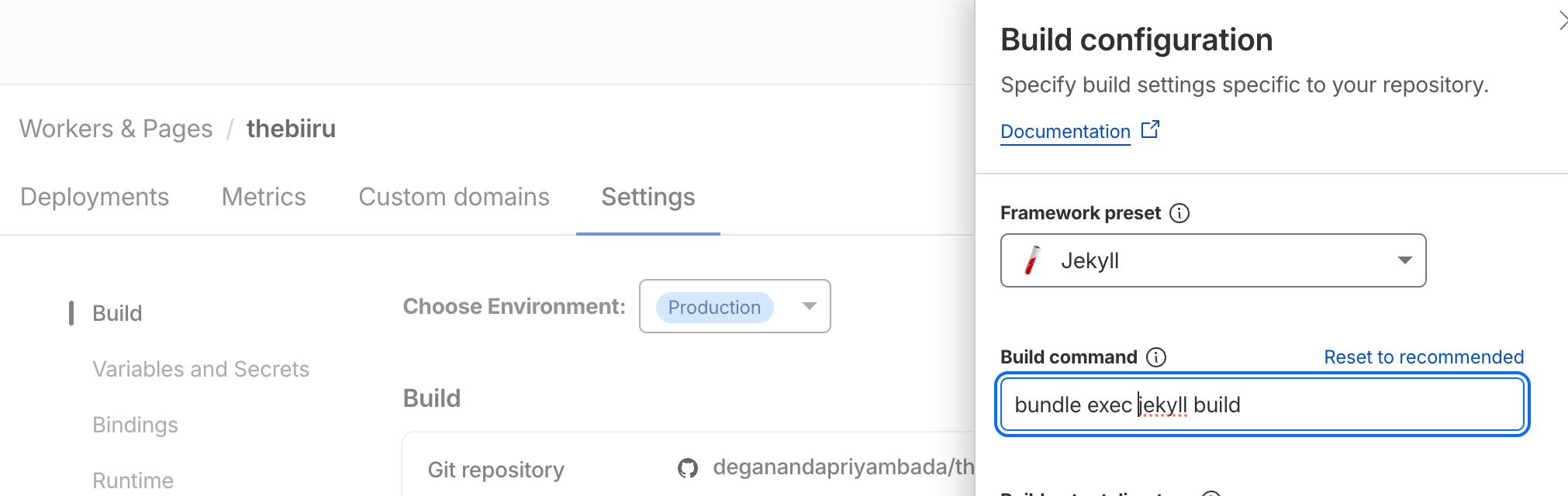
Done. now re-build the jekyll pages. it should be success as jekyll will now use local Gemfile.lock instead of the global dependencies
note: to trigger re-deployment, go to the deployment tab and find the failed deployment item, then choose retry deployment on the dropdown options as shown below
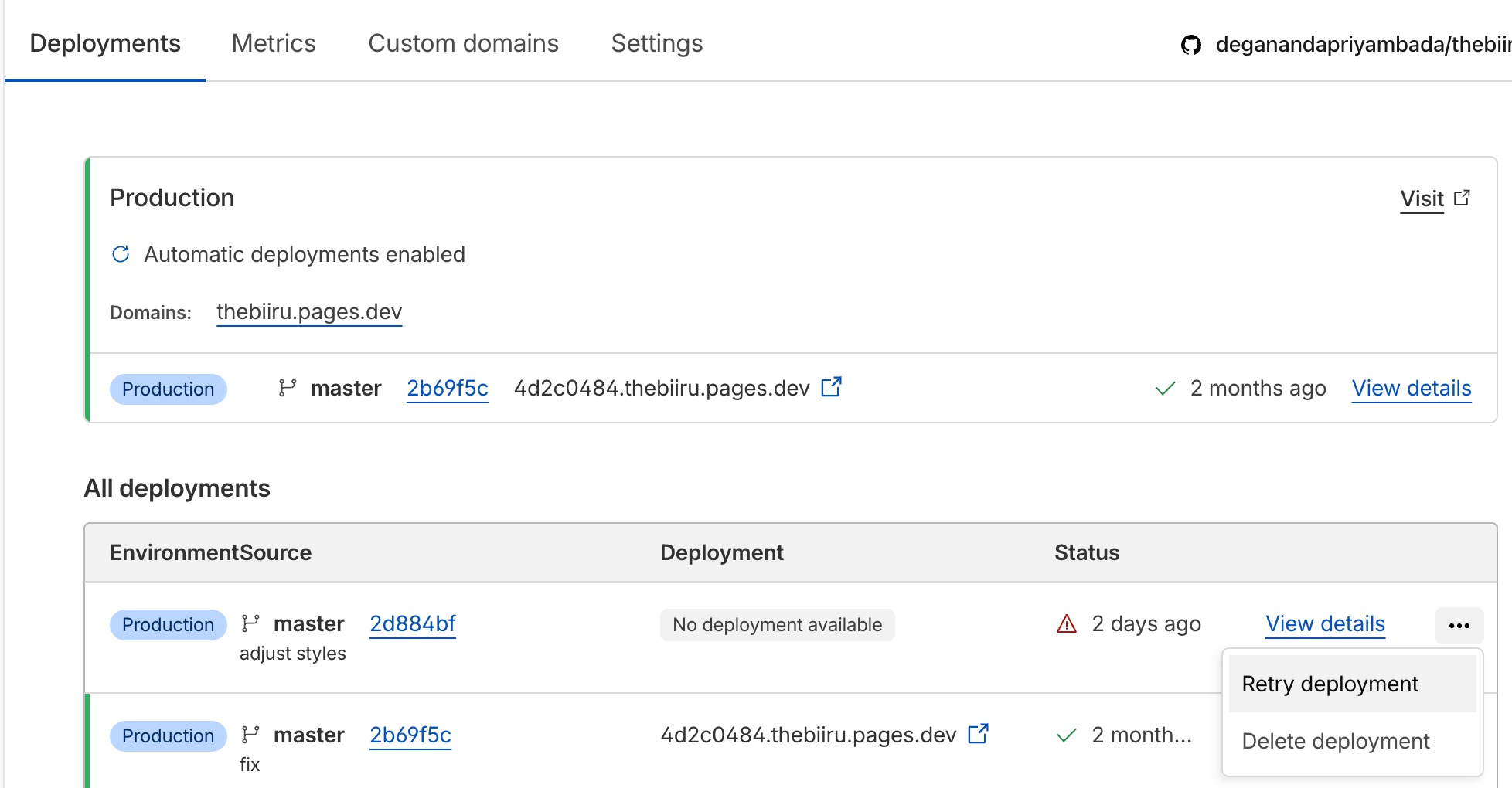 Trigger jekyll redeployment on cloudflare page
now the deployment is success, no more ruby package dependencies issue