B2C vs B2B Websites
Generally there are two types of websites. First type is customer facing website as sales channel(business to customer) or landing page. the second page is non customer facing website or also known as business to business channel.
Customer facing B2C websites (especially as sales channel) tend to be more sensitive in terms of the response time, user experiences and their overall look and feel. Where as customer facing B2C landing page performance is relatively more forgiving for user.
Some research conclude that if a website failed to be loaded in their first 3 second, the potential user / customer will close the browser. Such situation will lead into pontential profit losses.
Achieve website performance
as per google definition, there are four aspect which compose of website performance index. Perfromance is just one of the matrix!
below is the four aspect of website performance index
- Performance - how fast the website can be rendered by majority of users across different region. Higher score mean the website has super fast render time
- Sustainability - User experience matrix. If there are some overlapping component and causing the readability of the content, the sustainability index will be lower.
- Best Practices - Google specific web development best practices.
- Search Engine Optimization - how well it can be crwaled and indexed by search engine. The lower it get, the less chance to get shown or indexed on search engine.
the higher index number meaning the higher user or customer satisfaction and theoritically can increase the potential sales conversion (in case of B2C website)
— same principle goes to the B2C mobile apps which server as sales channel.
How to check website performance by performing audit
There are several free and paid tools available on the market to audit website performance. One of free tools which is recommended to perform performance audit on website is google lighthouse.
Google lighthouse should be considered because they are the leading search engine platform as of this moment even after gen AI disturpt the internet.
morever, currently genai response from google gemini is embedded at the top of google search, solidifying their position as market leader on search engine business.
Google lighthouse for auditing website performance
google lighthouse is by default available on google chrome.
right click on the target website page, then select inspect -> then start the audit by clicking “analyze page load” button
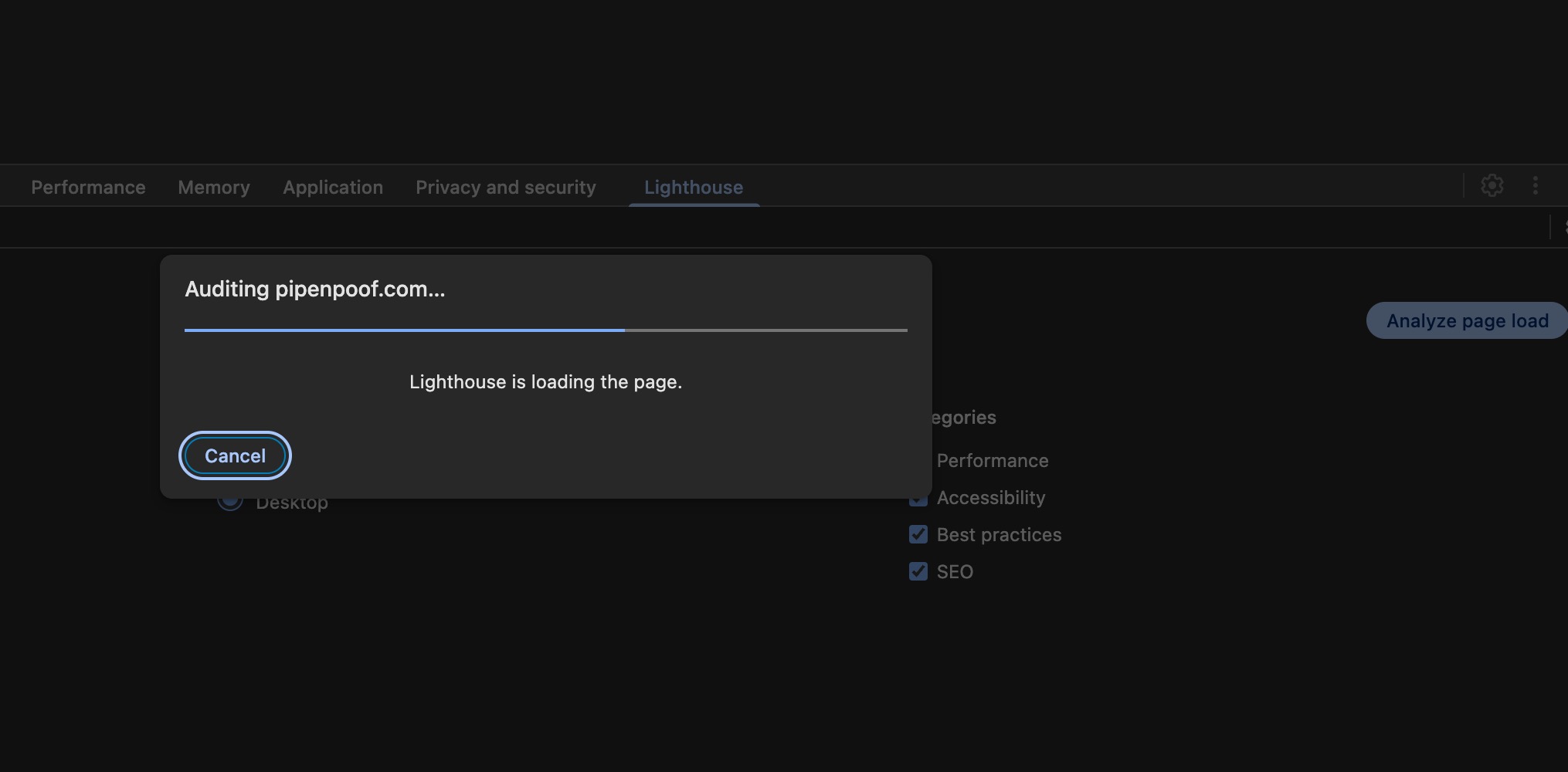 google lighthouse is starting the website performance audit
once the analytzing process is done, the audit report can also be downloaded into pdf
click on the vertical elipsis bar on the top right of inspect tools and choose print summary. It is recommended to avoid save as json because it will be harder to read, unless if it will be uploaded to LLM for further analyzing, then JSON format is the best for that specific case (LLM Analysis)
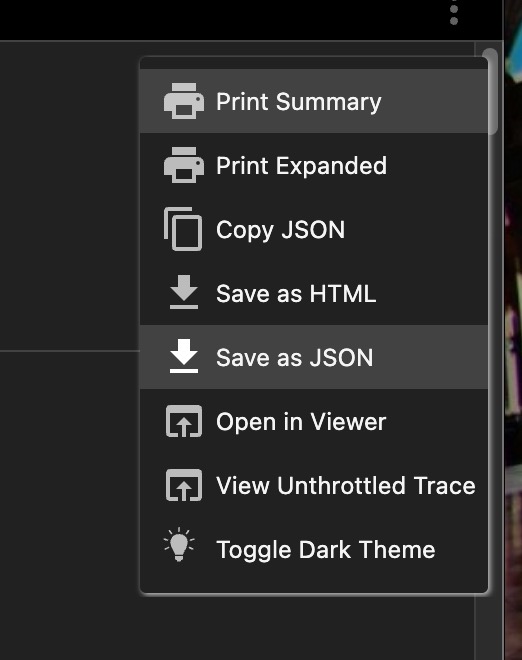 google lighthouse is starting the website performance audit
choose the document orientation (potrait or landscape), then click save.
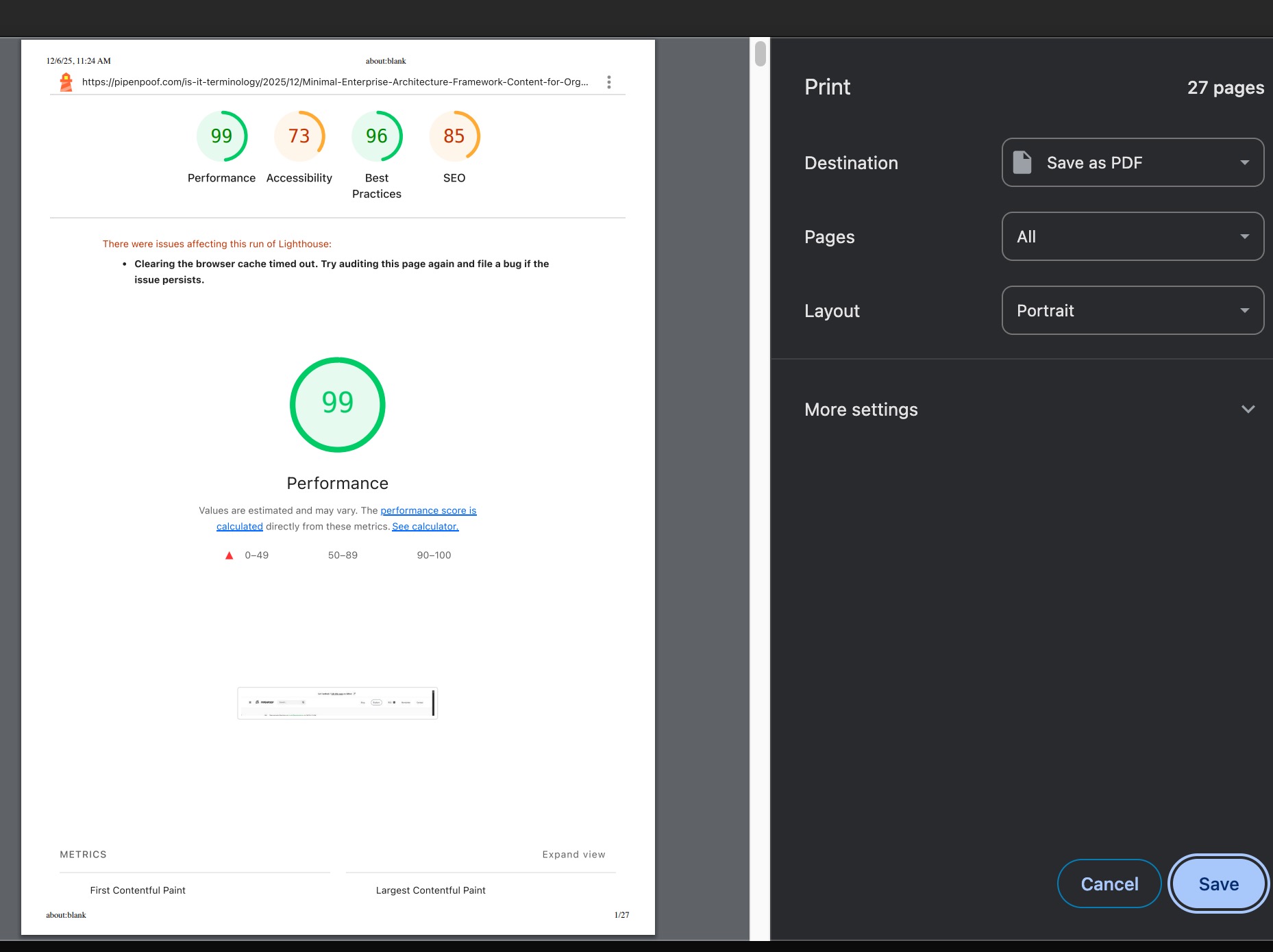 google lighthouse is starting the website performance audit
Website performance audit result for pipenpoof
below the result as of 6 december 2026
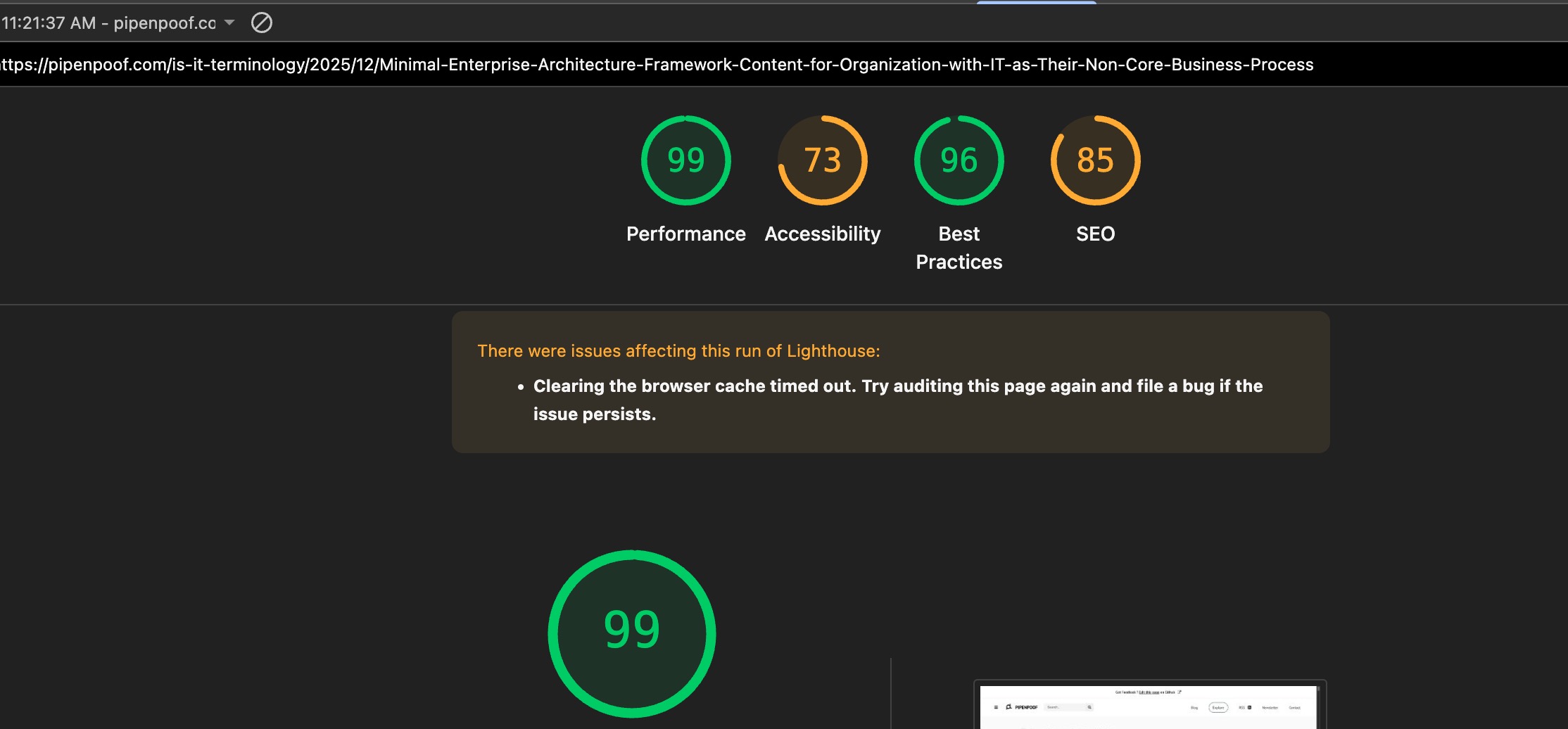 audit result from google lighthouse
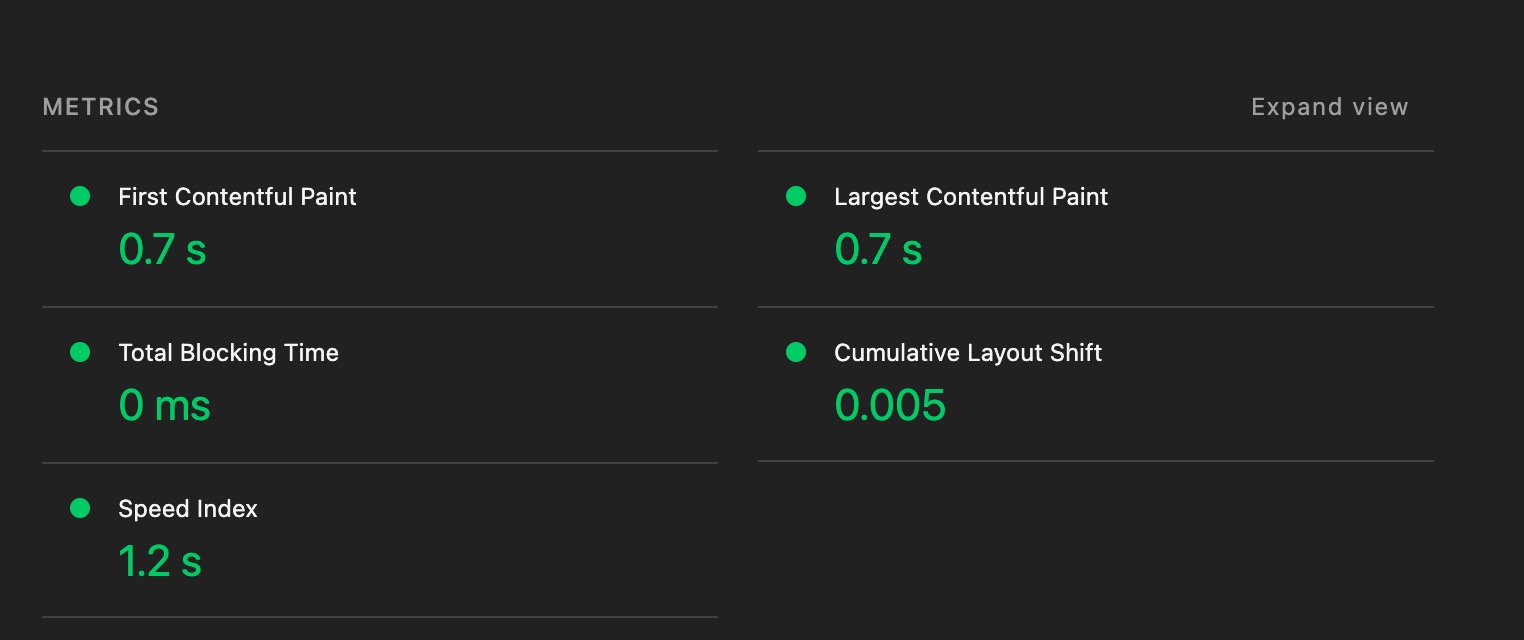
from the four aspect checked, pipenpoof pass the two aspects: perfromance and best practices.
it has outstanding performance.
 google lighthouse is starting the website performance audit
main reason of the good performance result is due to the SSG (static site generation). Pipenpoof is built using jekyll. the output of these framework is a plain html.
All of the content on this website has corresponding html files (pre-rendered during the compilation), making the response time super low as there is no backend server behind it. pure html load.
Perfromance improvement
 google lighthouse is starting the website performance audit
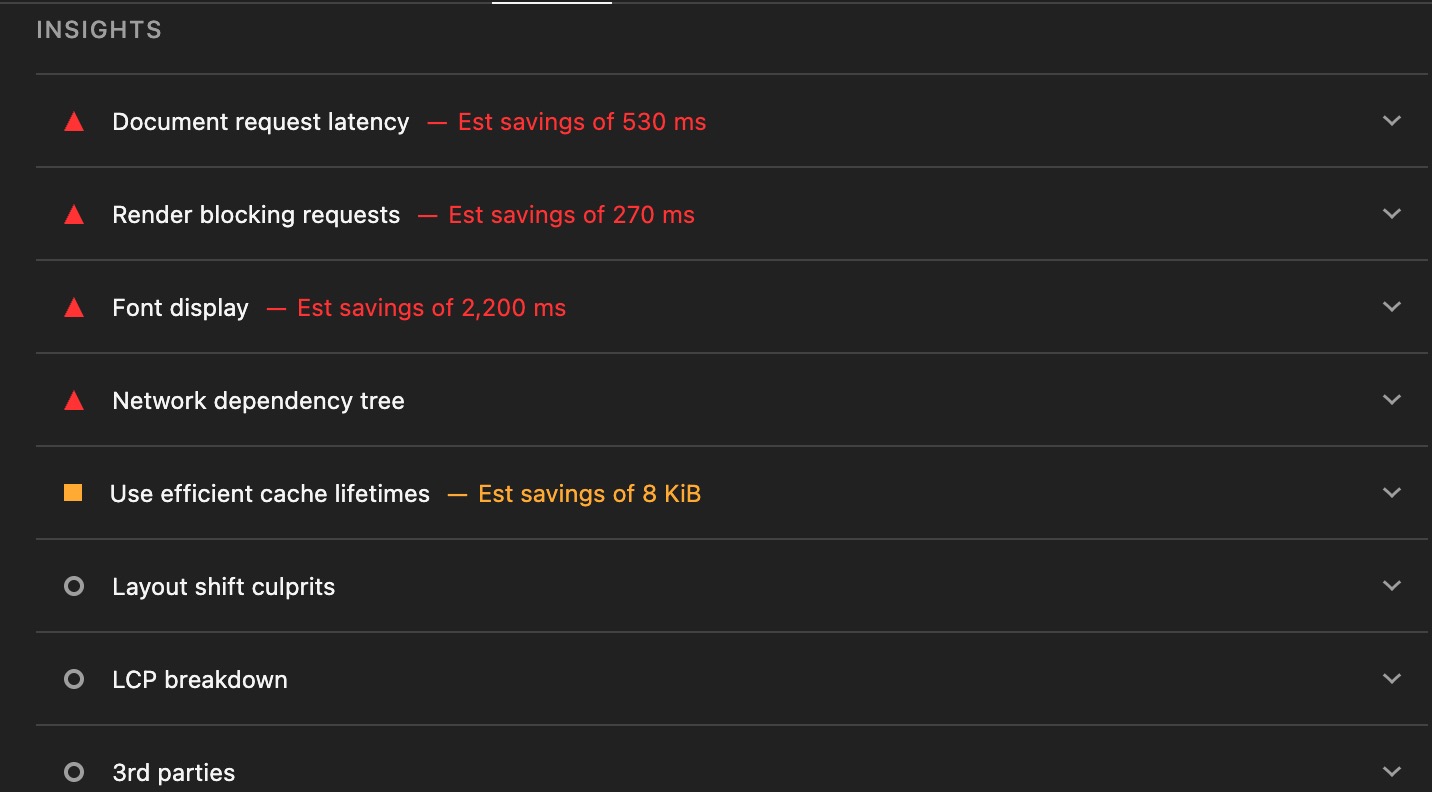
however, the performance index can still be improved by considering the suggested audit result from google lighthouse as shown above.
 actionable action to improve perfromance by google lighthouse
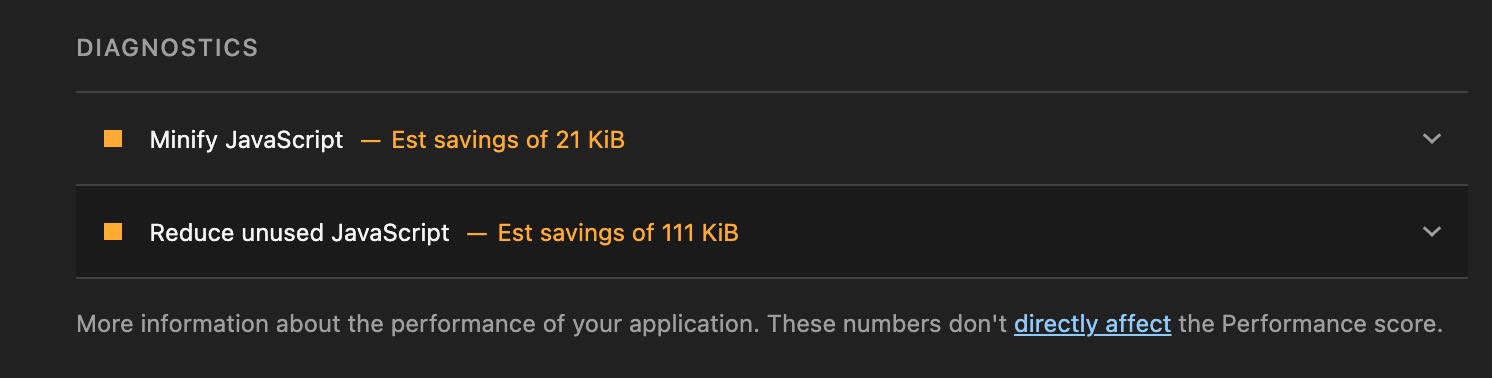
apart rom the audit report, google lighthouse also provide their suggestion to imrpove the performance. on this cases, there are two action :
- minifying javascript - save 21 kb of page size
- deferring javascript execution - save up to 113 kb of page size (this is a lot)
Accessability & SEO
apart from the performance, google lighthouse also auditing the website accessible. They have two perspective to access the accessbility, first is accessible to the human and and second is accessible crawler (SEO related)
names and labeling (accessibility to the crawler / user)
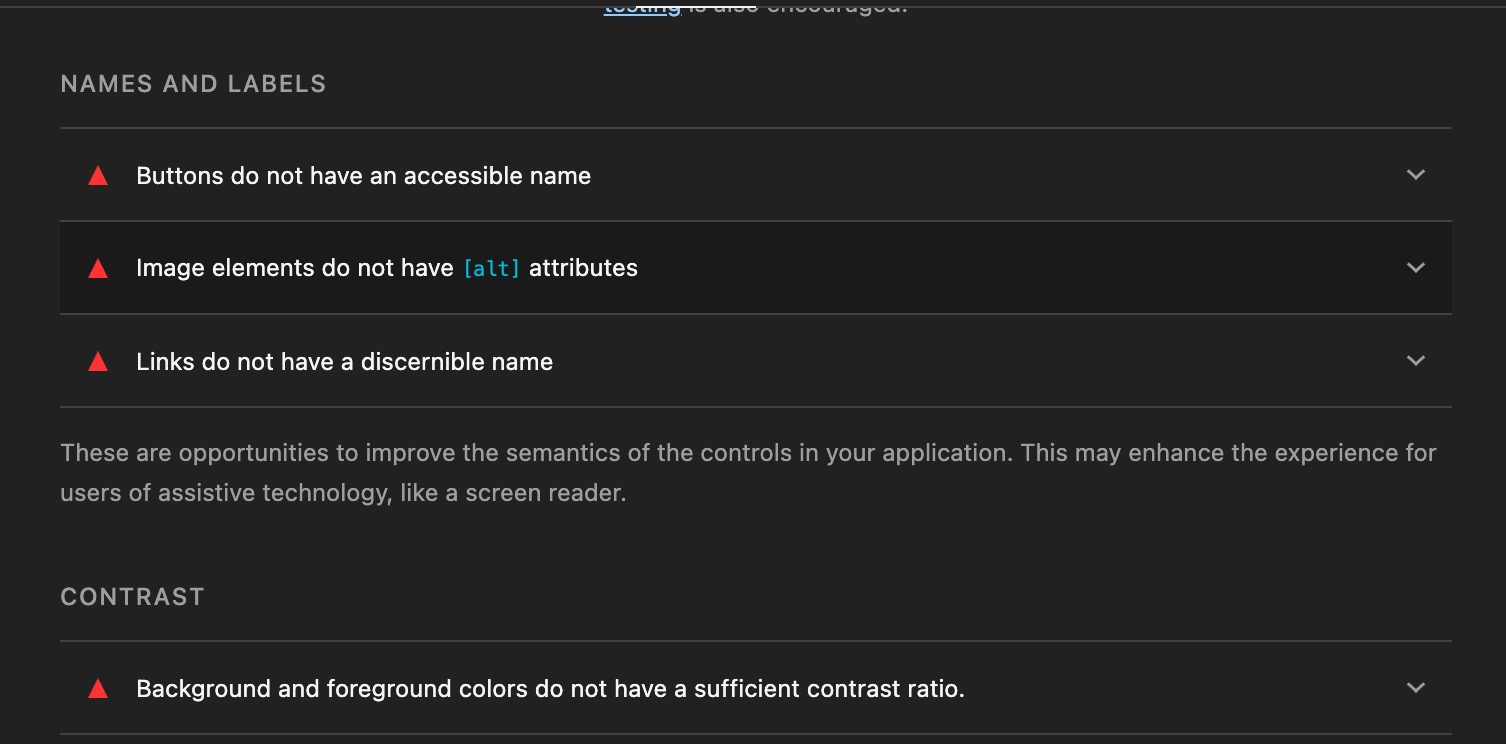 audit report showing some unaccessible element to the crawler
content best practices (accessability to the user)
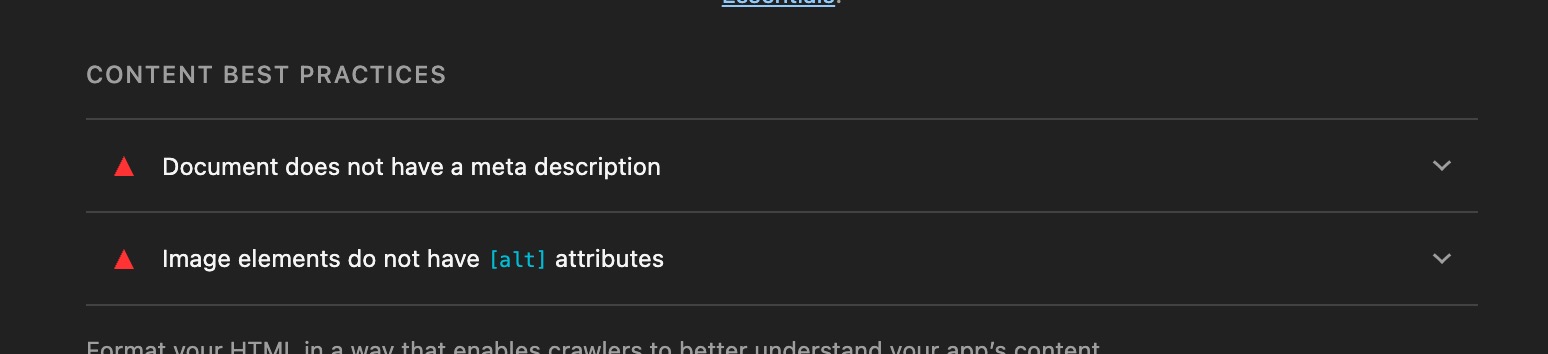 audit report showing some unaccessible element to the crawler
why it is not accessible for crawler? because some critical data not available on the HTML DOM. For example, not alt description on the image, html element doesnt have accessible name, and so on.
next one is accessability for user. first is about background vs color contrast, it might hinder the user to view the content. Next, the website miss screen scalability configuration for different size of the devices.
 audit report showing some unaccessible element to the user
Action Summary for Pipenpoof Website based on the Audit Report
below the is summarized action to improve pipenpoof website for four different aspect (performance, accessability, best practices and SEO)
| No | Category | Action | Benefit |
|---|---|---|---|
| 1 | Performance | deferring or inlining css and javascript script | remove LCP blocking |
| 2 | Performance | enable text compression | reduce FCP and LCP |
| 3 | Performance | use font display on the css | reduce FCP |
| 4 | Performance | avoid critical chaining request | reduce LCP |
| 5 | Performance | add preconnect | reduce both LCP and LCP |
| 6 | Accessability (user) | reduce layout shift | reduce latency for repeated request from same user |
| 7 | Performance | defer external css or js script | reduce both LCP and LCP |
| 8 | Performance | Minify javascript | reduce both LCP and LCP |
| 9 | Performance | Minify CSS | reduce both LCP and LCP |
| 10 | Performance | Reduce unused javascript | reduce both LCP and LCP |
| 11 | Accessabilit(Crawler) | add accessible name to button element | SEO optimization |
| 12 | Accessabilit(Crawler) | add alt attribute to image element | SEO optimization |
| 13 | Accessabilit(Crawler) | add accessible name to button element | SEO optimization |
| 14 | Accessabilit(Crawler) | make links element accessible | SEO optimization |
| 15 | Best Practices / Accessability | add meta viewport on the head | optimize website performance for the mobile devices |
| 15 | SEO | add meta description on the page | Improve SEO |
note:
LCP stands for largest contentful paint, FCP stands for first contentful paint.
target the lowest FCP as possible because physiologically user will feel at ease and supress the intetion to close the website once the website content is rendered as soon as possible even just a tiny portion of the whole content!