Ruby Dependency Manager In The View of NodeJS Developer
Bundler is the package and dependency manager for ruby. Equivalent with some notable and famous package manager like apt for ubuntu/debian, NPM for NodeJS or maven for JAVA.
Every ruby project will have package and dependency configuration. All the required library or package is written on a file called as Gemfile just like package.json in nodejs project.
However, Unlike NodeJS that store all neccesary dependency information in package.json, ruby store the dependency information in two separate gemfile. Each of gemfile has different responsibilities and role
- Gemfile: store the list of package/library used for the project
- Gemfile.lock: determine the package/library version for that specific project folder only
Both ruby gemfile and nodejs package.json has one ultimate purpose: to ensure the project folder can be ran in any machine/server as long as the runtime is installed.
It made possible due to the specific version requirement of the package/library is clearly defined on the gemfile/package.json.
How to Use the Gemfile as Dependency Manager for Ruby
Ensure ruby is properly installed on the system. Use following command to check whether ruby has been installed.
ruby --version
it should return the installed ruby version on the console

by default NodeJS installer has NPM(node package manager) and will automatically installed on the system. Ruby has depedency management called as “bundler”. However, unlime NPM where its packaged with the nodejs installer, it needs to be installed manually.
execute following command to install bundler
gem install bundler
ensure the bundler is installed globally on the system
bundler --version
 Installed bundler global version
create new ruby project folder
mkdir rubytest
cd rubytest
Similar with nodejs, ruby project need also to be intiated by using “bundler”
bundler init
if the project initation is success, a new file called Gemfile will be appeared on the folder as shown below.
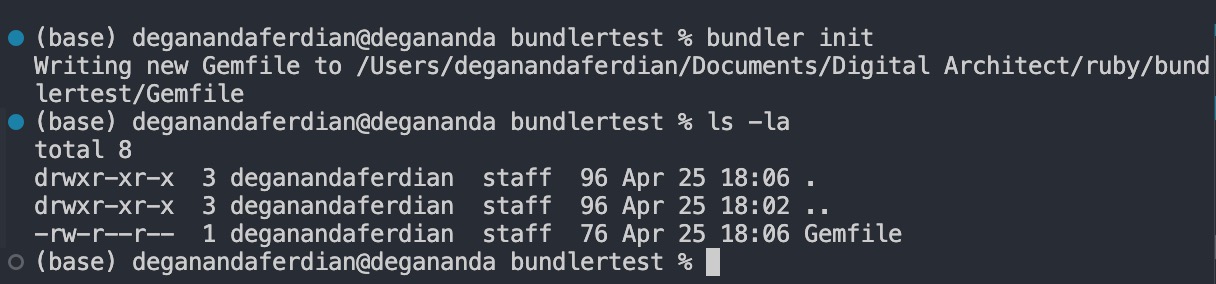 Bundler init command will create new Gemfile which store the ruby package dependency
Gemfile is equal with package.json on nodejs. File to store neccesary library for that specific project folder.
create a new file called index.rb and print hello world
puts "hello world, i am trying ruby!"
run / interpret the ruby files because compiling is not used on ruby.
ruby index.rb
it should print out the hello world sentence on the console
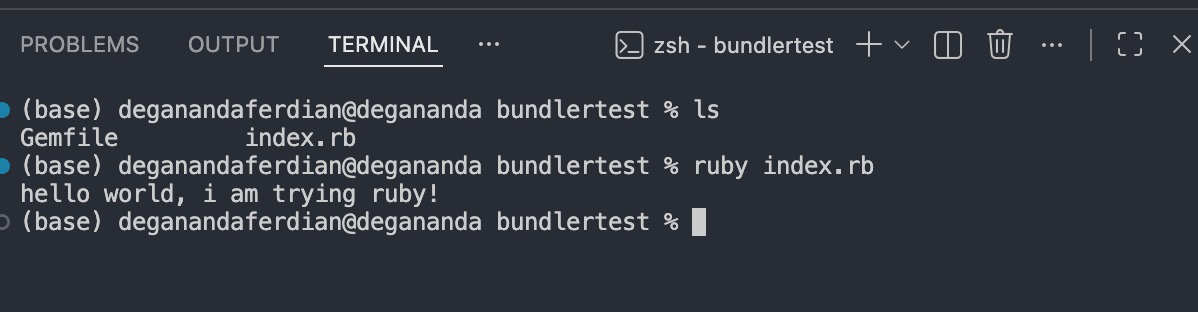 Ruby is a command to interpret ruby .rb source code
Next, lets use ruby library called as chronic for displaying date or time using human language (similar with when we ask chatgpt/other genAI).
openup the gemfile and specify the library name and its version. Lets try to install older version (v0.9.0)
# frozen_string_literal: true

source "https://rubygems.org"

# gem "rails"

gem "chronic", "0.9.0"
Similar with nodejs, in order to install all required packaged which specified under the gemfile use following bundler command (equivalent with npm install)
bundle install
it will automatically install chronic version 0.9.0
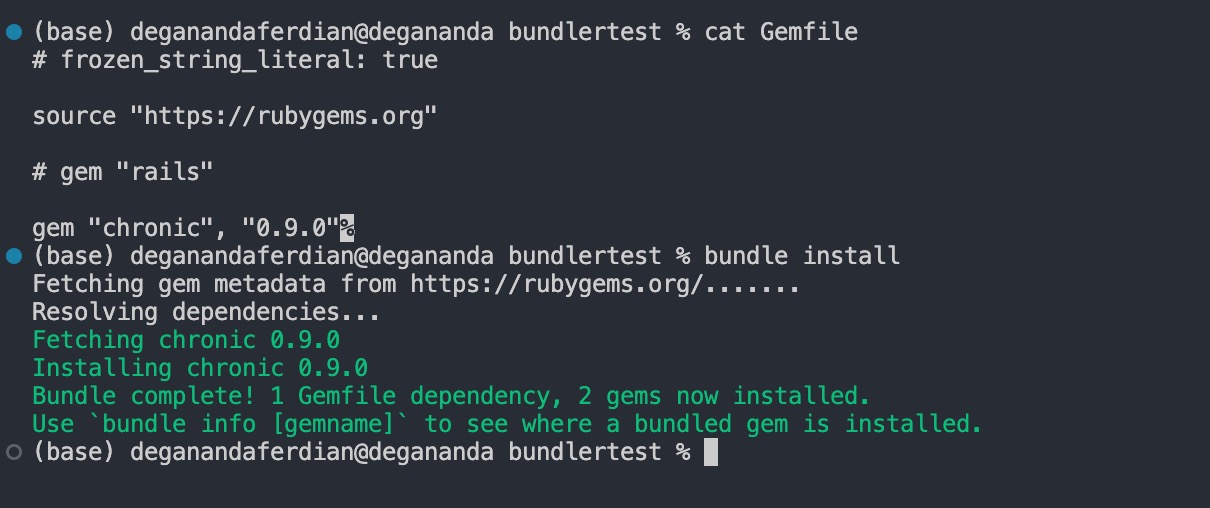
it will also created new file called Gemfile.lock which store the dependencies information such as remote repository location, platform and so on.
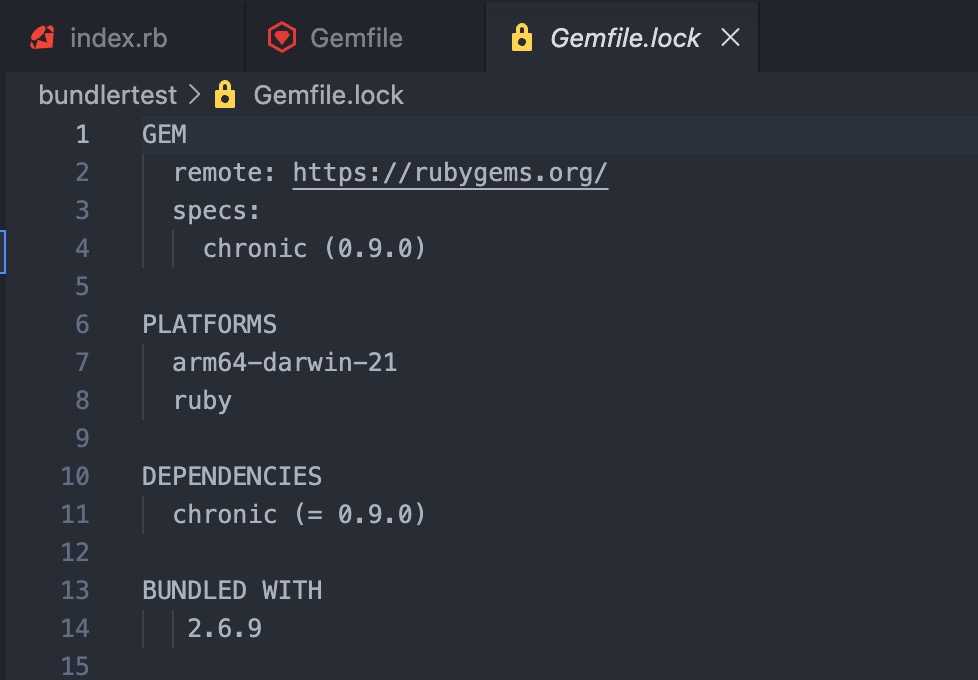 required package or library dependency version will be stored on the Gemfile.lock
adjust the index.rb file to import and use chronic library for displaying today’s date.
require 'chronic'
today = Chronic.parse("today")
puts today
puts Chronic::VERSION
then run the index ruby file but now using bundler by executing following command
bundle exec ruby index.rb
it should printout today’s date on the console as well as the chronic library version is used.
Use global ruby library instead of local project
Install latest version (0.10.2) of chronic globally
gem install chronic 0.10.2
installing ruby file via cli without bundler will automatically install/update(if the libraries has been exist on the system) the libraries globally
 Install ruby package on global system
run same index.rb file but without bundler
ruby index.rb
now it should use chronic version 0.10.2 as shown on the console below
 Global ruby dependency will be used instead of the one specified on gemfile.lock
Run Jekyll with Project Specific Dependency
Jekyll is based on ruby. It should follow same principle about local and global library dependencies that we already discussed above.
to use local project Gemfile, run jekyll using following command
bundle exec jekyll serve
it will resulting in following output
 Gemfile.lock dependency specifications will be used if ruby program is ran through bundle
The Importance of Pushing Gemfile.lock to the Code Repositories
to use globally installed jekyll library and its dependencies use following command
jekyll serve
it is recommended to always push the Gemfile and Gemfile.lock to the jekyll project repositories to ensure everyone who has the project source code can just directly run the jekyll project without any dependencies issue or even messing with their global ruby libraries.