What is Apache Spark
Apache spark is unified query engine for data engineering process which can process various data format from parquet, csv, json, textfiles and avro.
There are four programming language supported by apache spark API: java, scala, R and python.
there are two version of apache spark. First type is running on top of hadoop (called as an apache spark for hadoop) and second type is apache spark for pypi (python).
— apache spark for hadoop require JVM (java virtual machine), and will consume n-1 gigs of ram from the host/guest machine where n is the total ram assigned to the machine.
for example, on a vm with 2 gigs of ram, by default apache spark will utilize (2gb-1gb = 1gb) 1 gigs of ram
Installing Apache Spark for Hadoop
there are 3 main steps of spin up a VM with apache spark for hadoop.
- Provision the virtual machine (1 vCPU and 2 gigs of ram)
- Install Java
- Install apache spark for hadoop
- start the spark on single JVM (standalone mode) as the VM is too weak to handle cluster
Provision the virtual machine
digital ocean will be choosed for the vm provider (cloud based). Any cloud should be viable.
create a VM with following specifications:
latest ubuntu server LTS (24.04 as of the article was written)
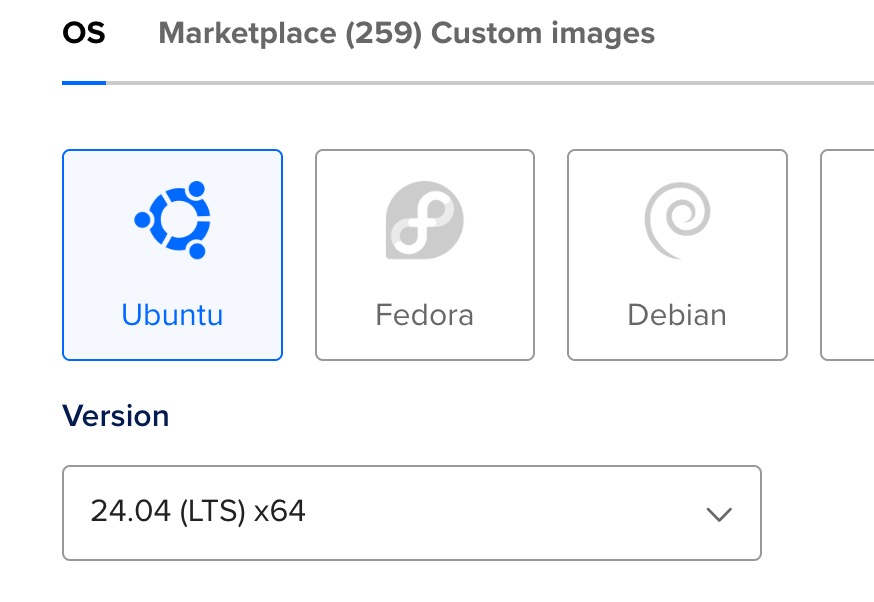 It is recommended to use ubuntu server LTS for long term support
2 gigs of ram and 1 virtual CPU
 weak VM or droplets specs for apache spark
note: once the provision is done, ensure those VM can be accessed via SSH as the rest of spark installation and configuration will be done via SSH.
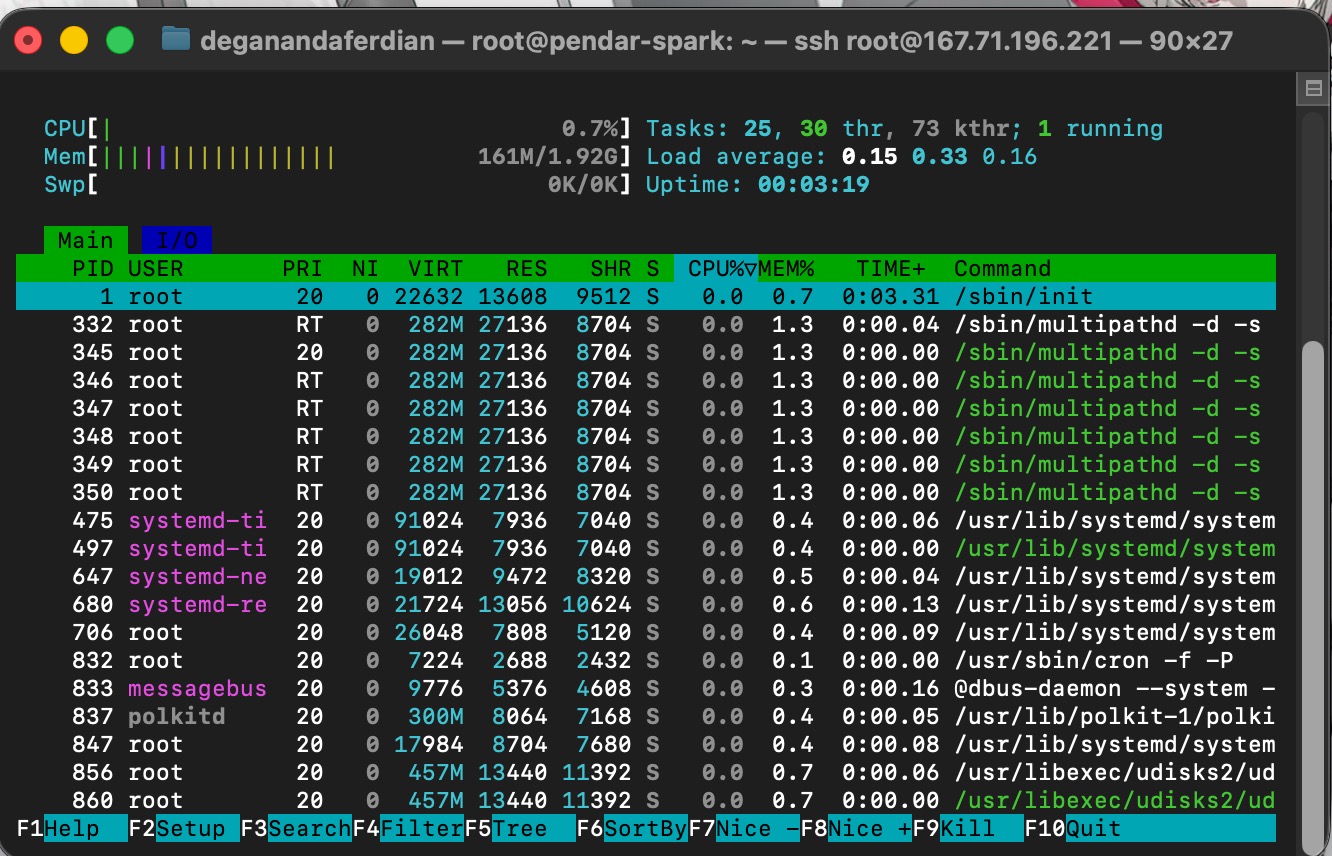 a fresh ubuntu OS memory and CPU consumption without any additional package installed
ubuntu server OS only consume +- 200 mb of RAM and +- 1% of CPU usages. theoriticaly this could handle JVM and apache spark.
Install OpenJDK
update package (apt) to the latest version
sudo apt update
once the apt package has been updated on the latest version (to fetch all available and up to date repository), install openJDK 17 with following commands
sudo apt install openjdk-17-jdk -y
note: apache spark 3.x require JDK not JRE and best to ran on JDK version 17.
run following command to validate if java(java runtime) is installed
java --version
expected output
root@pendar-spark:~# java --version
openjdk 17.0.16 2025-07-15
OpenJDK Runtime Environment (build 17.0.16+8-Ubuntu-0ubuntu124.04.1)
OpenJDK 64-Bit Server VM (build 17.0.16+8-Ubuntu-0ubuntu124.04.1, mixed mode, sharing)
root@pendar-spark:~#
below is to check if javac (java compiler) is installed
javac
expected output
root@pendar-spark:~# javac
Usage: javac <options> <source files>
where possible options include:
set JAV_HOME environment variable (required to for apache spark)
first, find out where the java is installed by executing following command
sudo update-alternatives --config java
sample expected output
There is 1 choice for the alternative java (providing /usr/bin/java).

  Selection    Path                                         Priority   Status
------------------------------------------------------------
* 0            /usr/lib/jvm/java-17-openjdk-amd64/bin/java   1711      auto mode
  1            /usr/lib/jvm/java-17-openjdk-amd64/bin/java   1711      manual mode
``

from above command, the java installation location is located under:

    usr/lib/jvm/java-17-openjdk-amd64/bin/java

hence, the installation folder is at (mind the / on the beginning!)

    /usr/lib/jvm/java-17-openjdk-amd64/

add to the bashrc

    echo 'export JAVA_HOME=/usr/lib/jvm/java-17-openjdk-amd64 >> ~/.bashrc
    echo 'export PATH=$PATH:$JAVA_HOME/bin' >> ~/.bashrc

re-activate bashrc

    source ~/.bashrc

validate by printing the JAVA_HOME on console

    echo $JAVA_HOME

should return the java installation located which generated from the alternatives config command

```json
root@pendar-spark:~/download# echo $JAVA_HOME
usr/lib/jvm/java-17-openjdk-amd64/bin/java
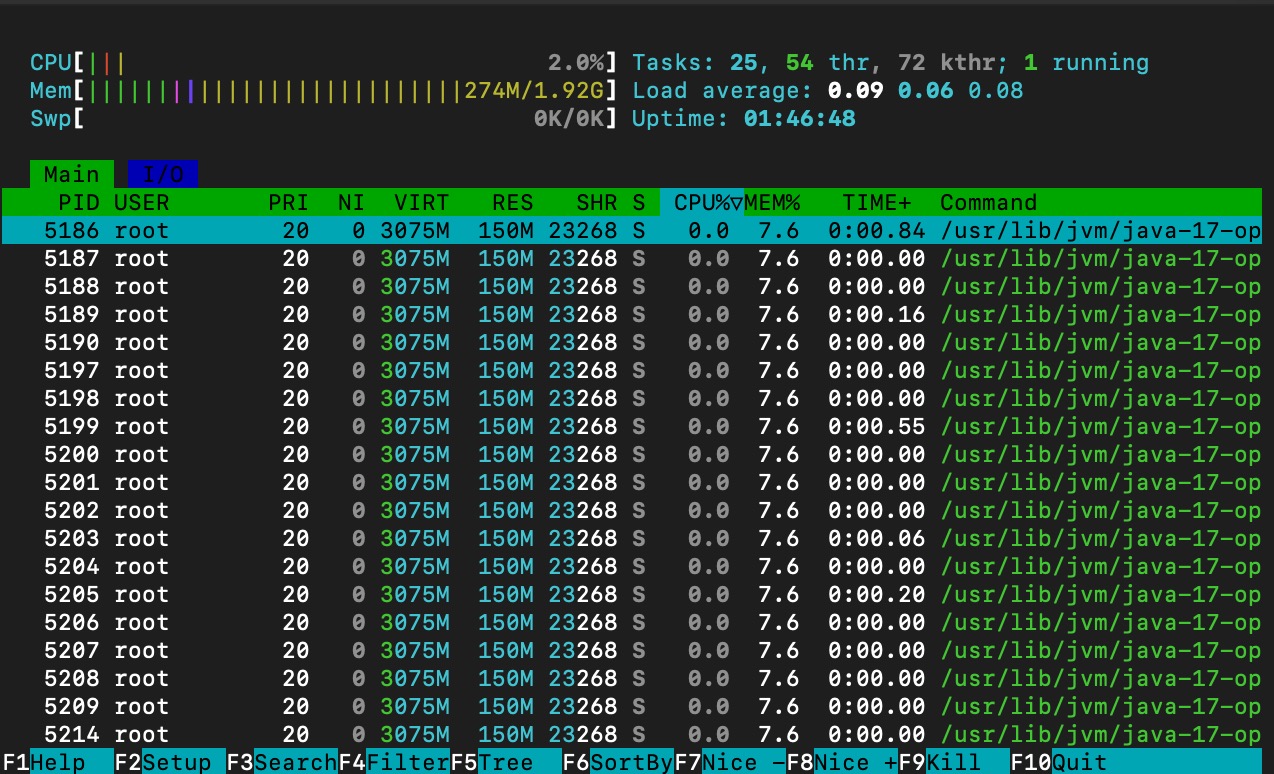
remaining unutilized ram and CPU.
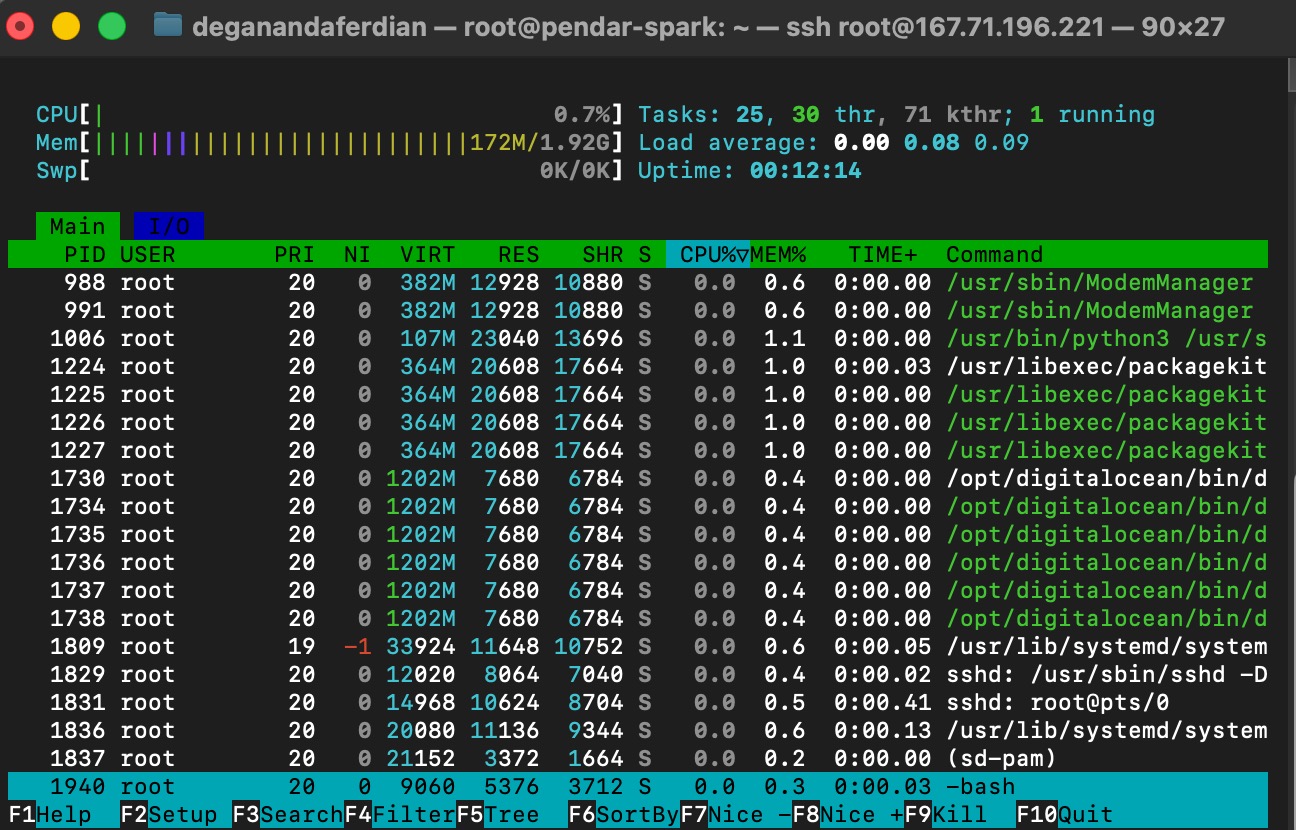 java (without any spawned JVM yet only add a few mbs of ram consumption)
check the remaining unutilized ram and CPU unutilized RAM and CPU using htop command.
htop
as shown on below images, CPU utilization is increased to 2% with almost 200 mb of memory consumption
Install apache spark
 Spark 3.x binary is available from the official apache spark websites.
create a new folder
cd ~
mkdir download
cd download
download latest apache spark for hadoop version 3.x from official spark websites
https://spark.apache.org/downloads.html
select the package dropdown into: pre-built for apache hadoop 3.3 or later as shown below.
download the binary files
wget https://www.apache.org/dyn/closer.lua/spark/spark-3.5.7/spark-3.5.7-bin-hadoop3.tgz
wait until the installation completed and validate the sha number.
Validate sha512 checksum
below is the expected sha512checksum for these fles
f3b7d5974d746b9aaecb19104473da91068b698a4d292177deb75deb83ef9dc7eb77062446940561ac9ab7ee3336fb421332b1c877292dab4ac1b6ca30f4f2e0 spark-3.5.7-bin-hadoop3.tgz
execute following command to get the sha256sum of the recently downloaded apache binary for hadoop 3.3++
sha256sum spark-3.5.7-bin-hadoop3.tgz
ensure it match. if the sha512 value not match, it is advised to redwnload the package as it indication of malformatted or corrupted files.
second approach to validate the sha512 is by put these two files together on same directory.
wget https://downloads.apache.org/spark/spark-3.5.7/spark-3.5.7-bin-hadoop3.tgz.sha512
both of the binary files and corresponding sha512 file are on same folder
root@pendar-spark:~/download# ls -la
total 36
drwxr-xr-x 2 root root  4096 Oct 19 04:23 .
drwx------ 6 root root  4096 Oct 19 04:07 ..
-rw-r--r-- 1 root root 21405 Oct 19 04:22 spark-3.5.7-bin-hadoop3.tgz
-rw-r--r-- 1 root root   158 Sep 17 20:54 spark-3.5.7-bin-hadoop3.tgz.sha512
root@pendar-spark:~/download#
run checksum validation
sha512sum -c spark-3.5.7-bin-hadoop3.tgz.sha512
if the checksum is failed, redownload from the CDN files
wget https://dlcdn.apache.org/spark/spark-3.5.7/spark-3.5.7-bin-hadoop3.tgz
Extract the tar to the /opt/spark
once the checksum is verified and validated, move or copy the binary file to /opt/tmp
mv spark-3.5.7-bin-hadoop3.tgz /opt/tmp/
note: create the tmp folder under the /opt directory before executing above command.
extract the tgz and put it on /pt
sudo tar -xzf spark-3.5.7-bin-hadoop3.tgz -C /opt
rename the folder/directory from spark-3.5.7-bin-hadoop3 to spark
mv /opt/spark-3.5.7-bin-hadoop3 /opt/spark
final path for the spark installation folder should be
/opt/spark
expected ls -la on /opt folder
root@pendar-spark:/opt# ls -la
total 20
drwxr-xr-x  5 root root 4096 Oct 19 04:38 .
drwxr-xr-x 22 root root 4096 Oct 19 03:44 ..
drwxr-xr-x  4 root root 4096 Oct 19 03:44 digitalocean
drwxr-xr-x 13 1001 1001 4096 Sep 17 20:52 spark
drwxr-xr-x  2 root root 4096 Oct 19 04:35 tmp
Add Environment Variables
add /opt/spark to the bashrc as SPARK_HOME
echo 'export SPARK_HOME=/opt/spark' >> ~/.bashrc
make the spark binary available globally(to be able to execute spark-shell any where) because the spark is not installed through ubuntu APT, hence it need to be done manually.
echo 'export PATH=$PATH:$SPARK_HOME/bin:$SPARK_HOME/sbin' >> ~/.bashrc
reactivate the .bashrc
source ~/.bashrc
validate if spark-shell can be executed any where
spark-shell --version
expected output
root@pendar-spark:/opt/spark# spark-shell --version
25/10/19 04:57:25 WARN Utils: Your hostname, pendar-spark resolves to a loopback address: 127.0.1.1; using 10.15.0.5 instead (on interface eth0)
25/10/19 04:57:25 WARN Utils: Set SPARK_LOCAL_IP if you need to bind to another address
Welcome to
      ____              __
     / __/__  ___ _____/ /__
    _\ \/ _ \/ _ `/ __/  '_/
   /___/ .__/\_,_/_/ /_/\_\   version 3.5.7
      /_/

Using Scala version 2.12.18, OpenJDK 64-Bit Server VM, 17.0.16
Branch HEAD
Compiled by user runner on 2025-09-17T20:37:30Z
Revision ed00d046951a7ecda6429accd3b9c5b2dc792b65
Url https://github.com/apache/spark
Type --help for more information.
Debugging Spark-shell
if following encountered : No such file or directory and followed with: No such file or directory meaning the JAVA_HOME path is not properly setup.
root@pendar-spark:/opt/spark# echo $JAVA_HOME
usr/lib/jvm/java-17-openjdk-amd64/bin/java
update it into JAVA_HOME = /usr/lib/jvm/java-17-openjdk-amd64/ by opening the .bashrc file
nano ~/.bashrc
find and update these blocks.
# enable programmable completion features (you don't need to enable
# this, if it's already enabled in /etc/bash.bashrc and /etc/profile
# sources /etc/bash.bashrc).
#if [ -f /etc/bash_completion ] && ! shopt -oq posix; then
#    . /etc/bash_completion
#fi
export JAVA_HOME=/usr/lib/jvm/java-17-openjdk-amd64
export PATH=$PATH:$JAVA_HOME/bin
export SPARK_HOME=/opt/spark
export PATH=$PATH:$SPARK_HOME/bin:$SPARK_HOME/sbin
Note: be mindful with “/” on the prefix. dont forget to add “/” as the prefix, otherwise it will be treated as relative path. it need to be set as absolute path.
save and re-activate bashrc.
source ~/.bashrc
re-execute the spark–version
spark--version
expected output
root@pendar-spark:/opt/spark# spark-shell --version
25/10/19 04:57:25 WARN Utils: Your hostname, pendar-spark resolves to a loopback address: 127.0.1.1; using 10.15.0.5 instead (on interface eth0)
25/10/19 04:57:25 WARN Utils: Set SPARK_LOCAL_IP if you need to bind to another address
Welcome to
      ____              __
     / __/__  ___ _____/ /__
    _\ \/ _ \/ _ `/ __/  '_/
   /___/ .__/\_,_/_/ /_/\_\   version 3.5.7
      /_/

Using Scala version 2.12.18, OpenJDK 64-Bit Server VM, 17.0.16
Branch HEAD
Compiled by user runner on 2025-09-17T20:37:30Z
Revision ed00d046951a7ecda6429accd3b9c5b2dc792b65
Url https://github.com/apache/spark
Type --help for more information.
Start Spark
start the spark-shell
spark-shell
once it success, it will expose its web-ui on port 4040 as shown in below logs
root@pendar-spark:/opt/spark# spark-shell
25/10/19 05:10:05 WARN Utils: Your hostname, pendar-spark resolves to a loopback address: 127.0.1.1; using 10.15.0.5 instead (on interface eth0)
25/10/19 05:10:05 WARN Utils: Set SPARK_LOCAL_IP if you need to bind to another address
Setting default log level to "WARN".
To adjust logging level use sc.setLogLevel(newLevel). For SparkR, use setLogLevel(newLevel).
25/10/19 05:10:27 WARN NativeCodeLoader: Unable to load native-hadoop library for your platform... using builtin-java classes where applicable
Spark context Web UI available at http://10.15.0.5:4040
Spark context available as 'sc' (master = local[*], app id = local-1760850630512).
Spark session available as 'spark'.
Welcome to
      ____              __
     / __/__  ___ _____/ /__
    _\ \/ _ \/ _ `/ __/  '_/
   /___/ .__/\_,_/_/ /_/\_\   version 3.5.7
      /_/
open in on the UI (note: need to expose 4040 to FW, if it wanted to accessible publicly)
http://<vm_IP>:4040
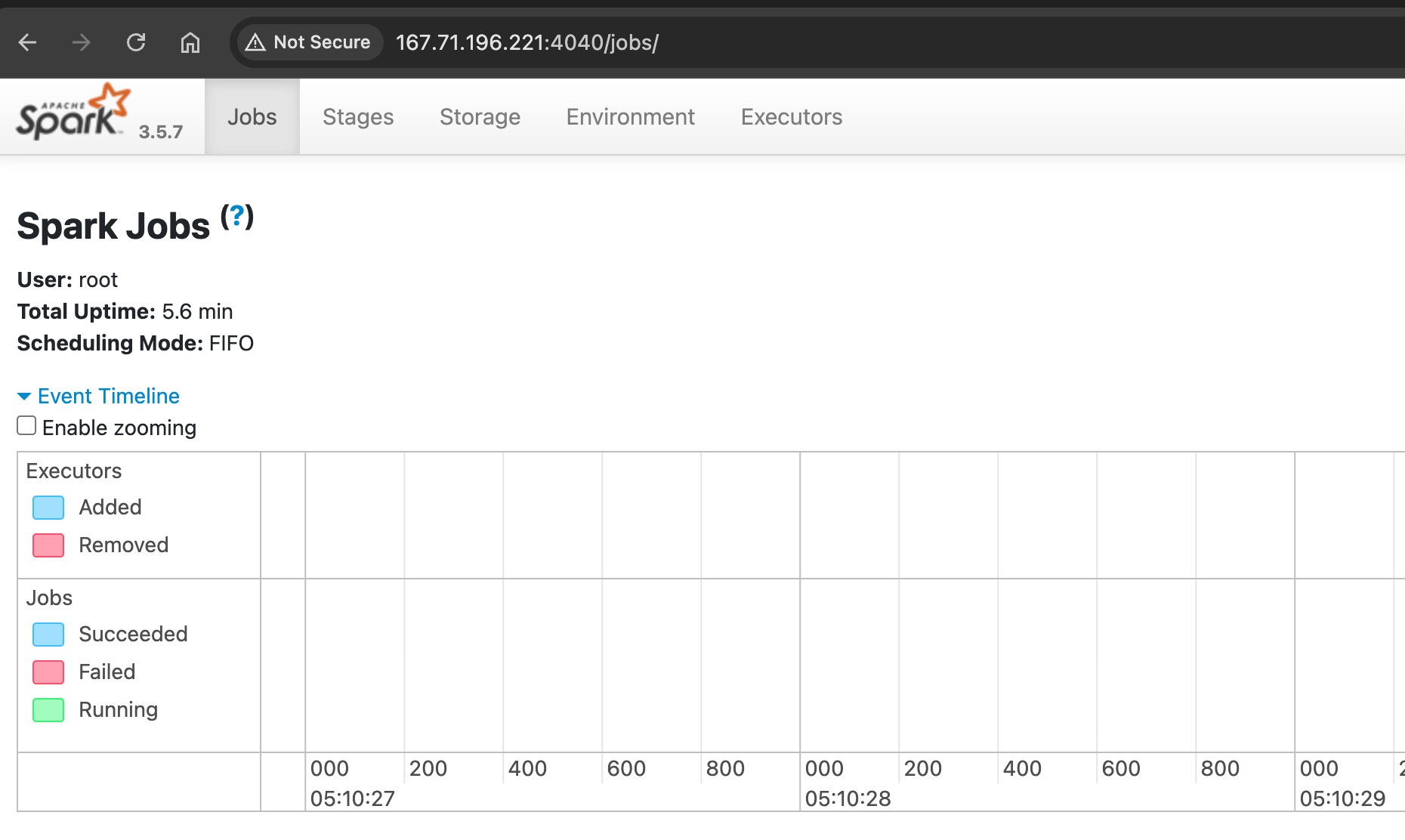 Spark UI is exposed to port 4040 if it ran using spark-shell!
it only add ~100mb of RAM (shell only!), this is not the final master-worker cluster form.
 Spark-shell if it run using REPL
note: REPL stands for read, eval, print, loop. basically a CLI program that require input from the terminal or console and it will print out the output to the console.
Start Spark as Background Process
there are various way to run spark depend on the needs.
for submit job
nohup /opt/spark/bin/spark-submit --master local[*] python_script.py > spark.log 2>&1 &
run spark master and worker cluster
start master
/opt/spark/sbin/start-master.sh
expected output
root@pendar-spark:/opt/spark# /opt/spark/sbin/start-master.sh
starting org.apache.spark.deploy.master.Master, logging to /opt/spark/logs/spark-root-org.apache.spark.deploy.master.Master-1-pendar-spark.out
ensure the spark master ran on the background by executing
ps -ax | grep "spark"
it should shown PID of spark master
root@pendar-spark:/opt/spark# ps -ax | grep spark
   5159 pts/0    Sl     0:06 /usr/lib/jvm/java-17-openjdk-amd64/bin/java -cp /opt/spark/conf/:/opt/spark/jars/* -Xmx1g org.apache.spark.deploy.master.Master --host pendar-spark --port 7077 --webui-port 8080
   5212 pts/0    S+     0:00 grep --color=auto spark
root@pendar-spark:/opt/spark#
spark master logs is located under this folder
/opt/spark/logs/
tail the logs
tail -f spark-root-org.apache.spark.deploy.master.Master-1-pendar-spark.out
expceted output
root@pendar-spark:/opt/spark/logs# tail -f spark-root-org.apache.spark.deploy.master.Master-1-pendar-spark.out
25/10/19 05:28:43 INFO SecurityManager: Changing view acls groups to:
25/10/19 05:28:43 INFO SecurityManager: Changing modify acls groups to:
25/10/19 05:28:43 INFO SecurityManager: SecurityManager: authentication disabled; ui acls disabled; users with view permissions: root; groups with view permissions: EMPTY; users with modify permissions: root; groups with modify permissions: EMPTY
25/10/19 05:28:44 INFO Utils: Successfully started service 'sparkMaster' on port 7077.
25/10/19 05:28:44 INFO Master: Starting Spark master at spark://pendar-spark:7077
25/10/19 05:28:44 INFO Master: Running Spark version 3.5.7
25/10/19 05:28:44 INFO JettyUtils: Start Jetty 0.0.0.0:8080 for MasterUI
25/10/19 05:28:45 INFO Utils: Successfully started service 'MasterUI' on port 8080.
25/10/19 05:28:45 INFO MasterWebUI: Bound MasterWebUI to 0.0.0.0, and started at http://10.15.0.5:8080
25/10/19 05:28:45 INFO Master: I have been elected leader! New state: ALIVE
based on above logs, the spark master is located on :
25/10/19 05:28:44 INFO Utils: Successfully started service 'sparkMaster' on port 7077
these port can be accessed via UI/browser (need to expose to Firewall just in case it located behind a FW) by accessing port 8080 (7070 is the internal port)
http://<vm_ip>:8080
as shown below
Differences between Spark Master and Spark Worker
spark master is the orchestrator. it will assign resources (n amount of CPU and RAM) to the worker where as worker is the spawned spark instances that ready to execute the JVM job(JAR or python script)
start worker and connect to the master
/opt/spark/sbin/start-worker.sh spark://<hostname>:7077
replace the hostname with VM’s hostname
hostname -f
sample output (for this article case’s, might be different on your virtual machine).
root@pendar-spark:/opt/spark/logs# hostname -f
pendar-spark
hence, the command to run spark worker
/opt/spark/sbin/start-worker.sh spark://pendar-spark:7077
expected output
root@pendar-spark:/opt/spark/logs# /opt/spark/sbin/start-worker.sh spark://pendar-spark:7077
starting org.apache.spark.deploy.worker.Worker, logging to /opt/spark/logs/spark-root-org.apache.spark.deploy.worker.Worker-1-pendar-spark.out
root@pendar-spark:/opt/spark/logs#
once above job created spark will:
- register the worker process into the master (orchestrator) as it “slave”. spark master will orchestrate and allocate the resources avilable for him (the worker)
- spark master will now receiving CPU and memory consumption used by these worker.
- the worker will run in background(always active), its like having a employee stand by 24/7 and ready to receive a job/task (JAR or python script)
to validate if master-worker cluster is running properly on single jvm, following approach can be used
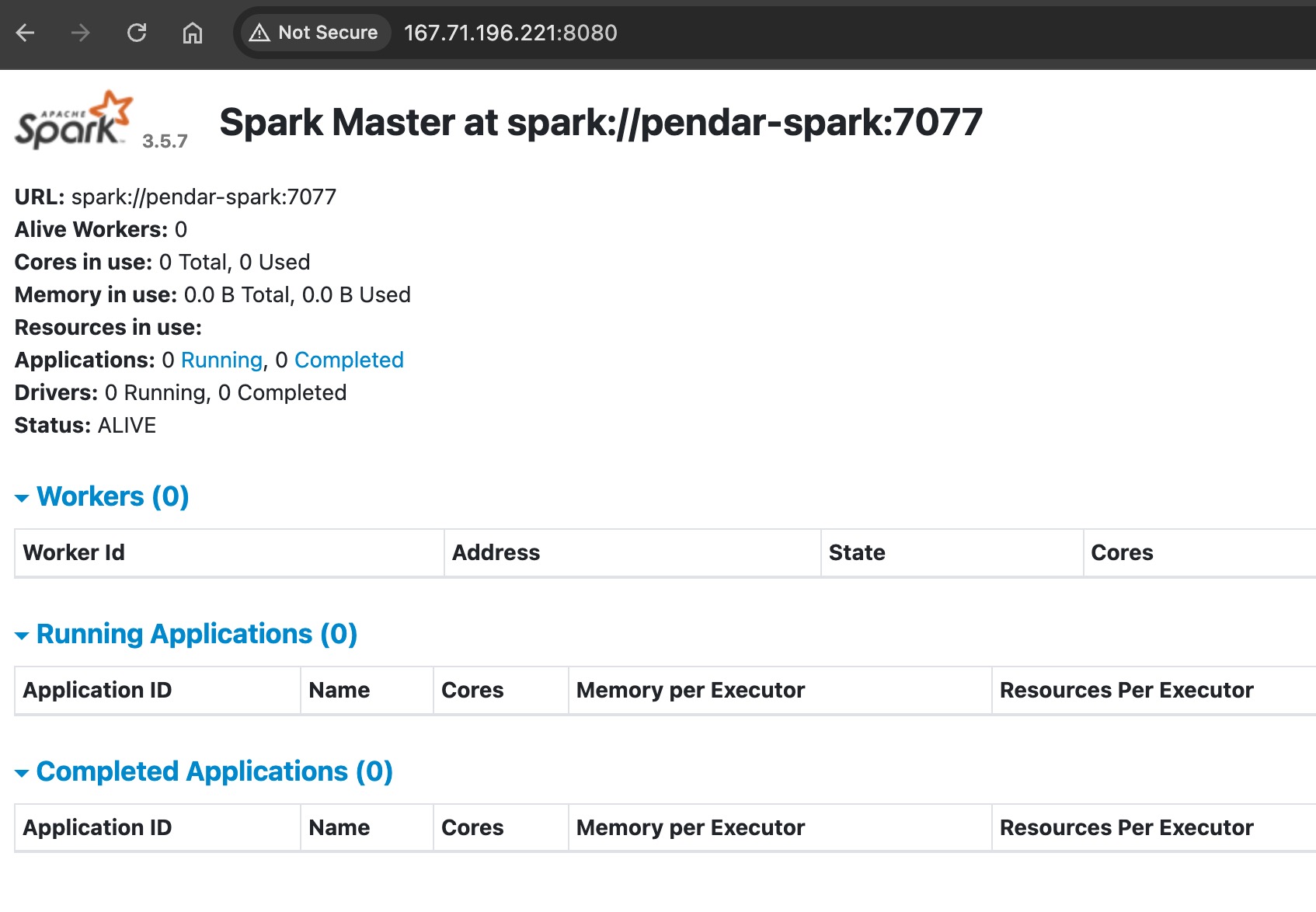 SparkUI can be access on port 8080 if it run using master-worker approach
first approach: check through ui host:8080 and see if the worker in running and ALIVE
second approach: check via jps command
execute following
jps
master and worker should listed on the command’s output
root@pendar-spark:/opt/spark/logs# jps
5159 Master
5359 Jps
5279 Worker
root@pendar-spark:/opt/spark/logs#
by default spark-worker will consume (n / 2) memory where n is the maximum available RAM on the machine.
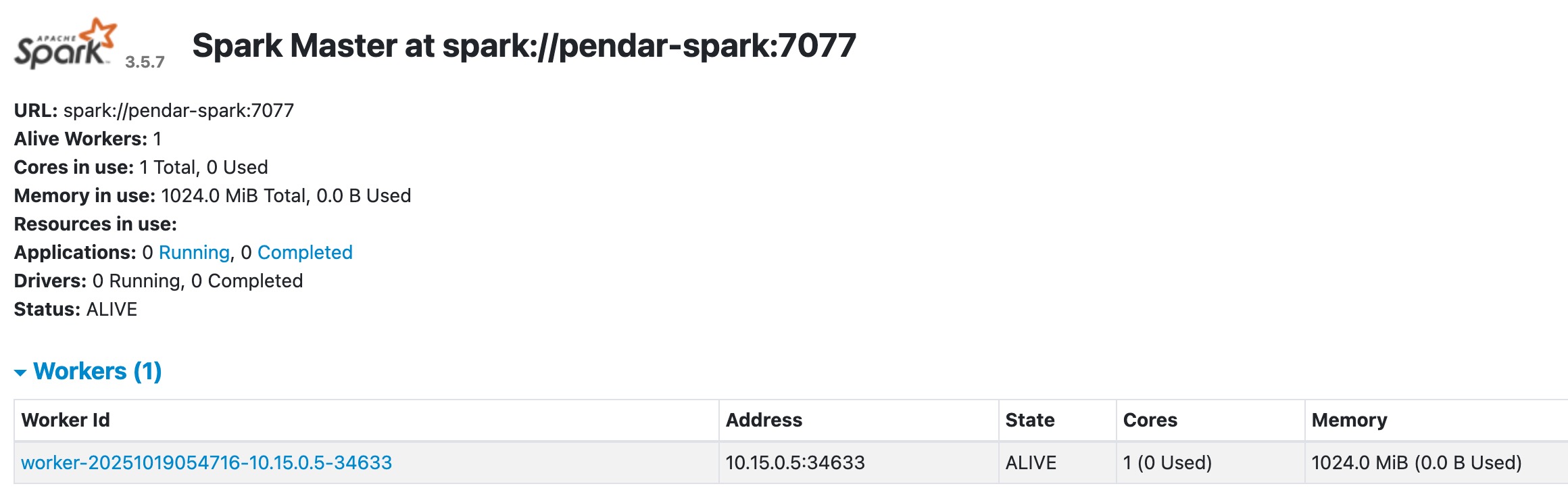 by default on a vm with 2 gigs of ram, a spark worker will allocated with 1024 memory
if the machine has 2 gigs of ram, spark master will allocate 1 gigs of ram (1024 mb) to the worker as shown below
Memory and CPU Consumption
CPU and memory condition after running spark master
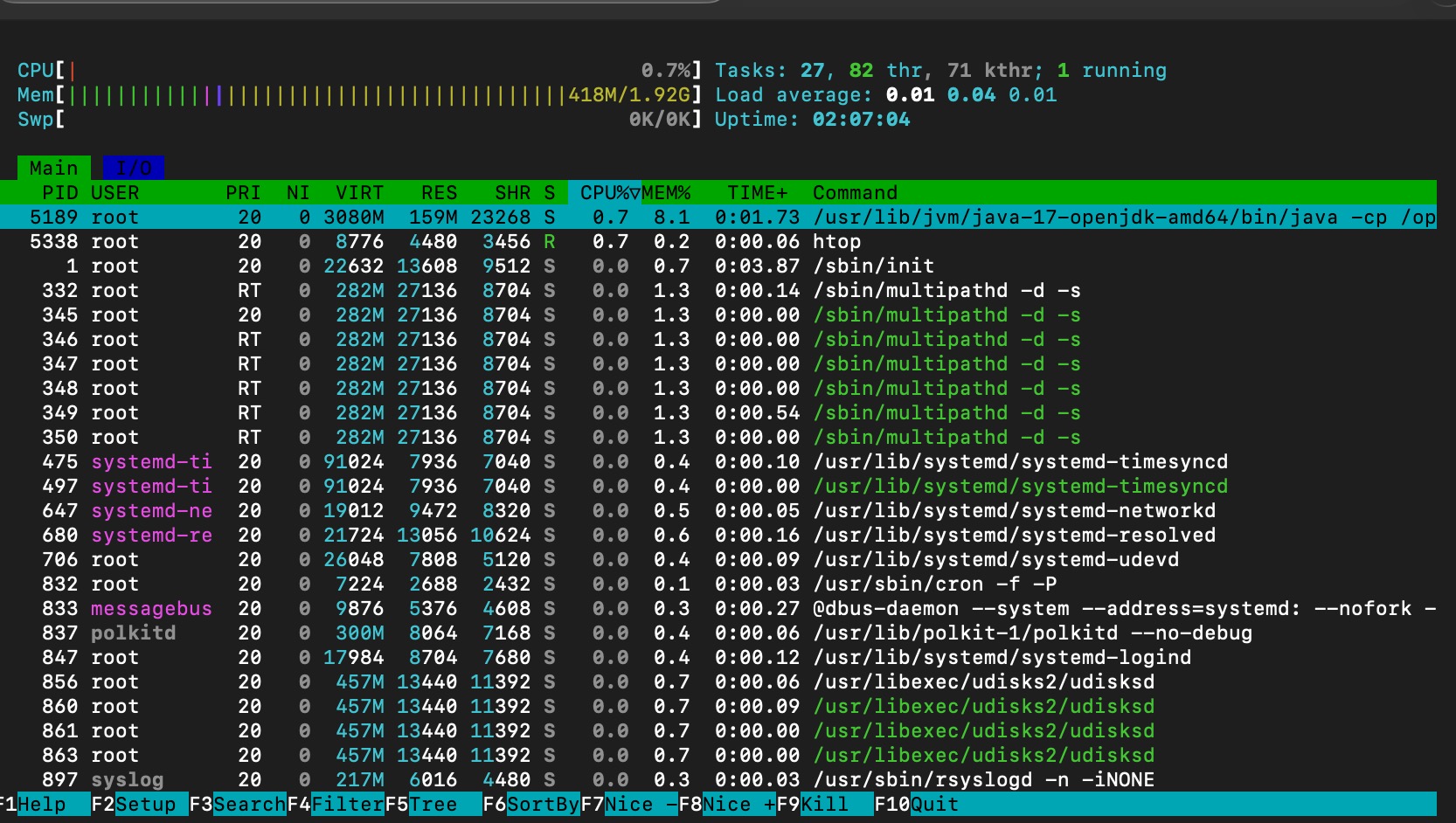 memory consumption after spark master is running
CPU and memory condition after running one spark woker
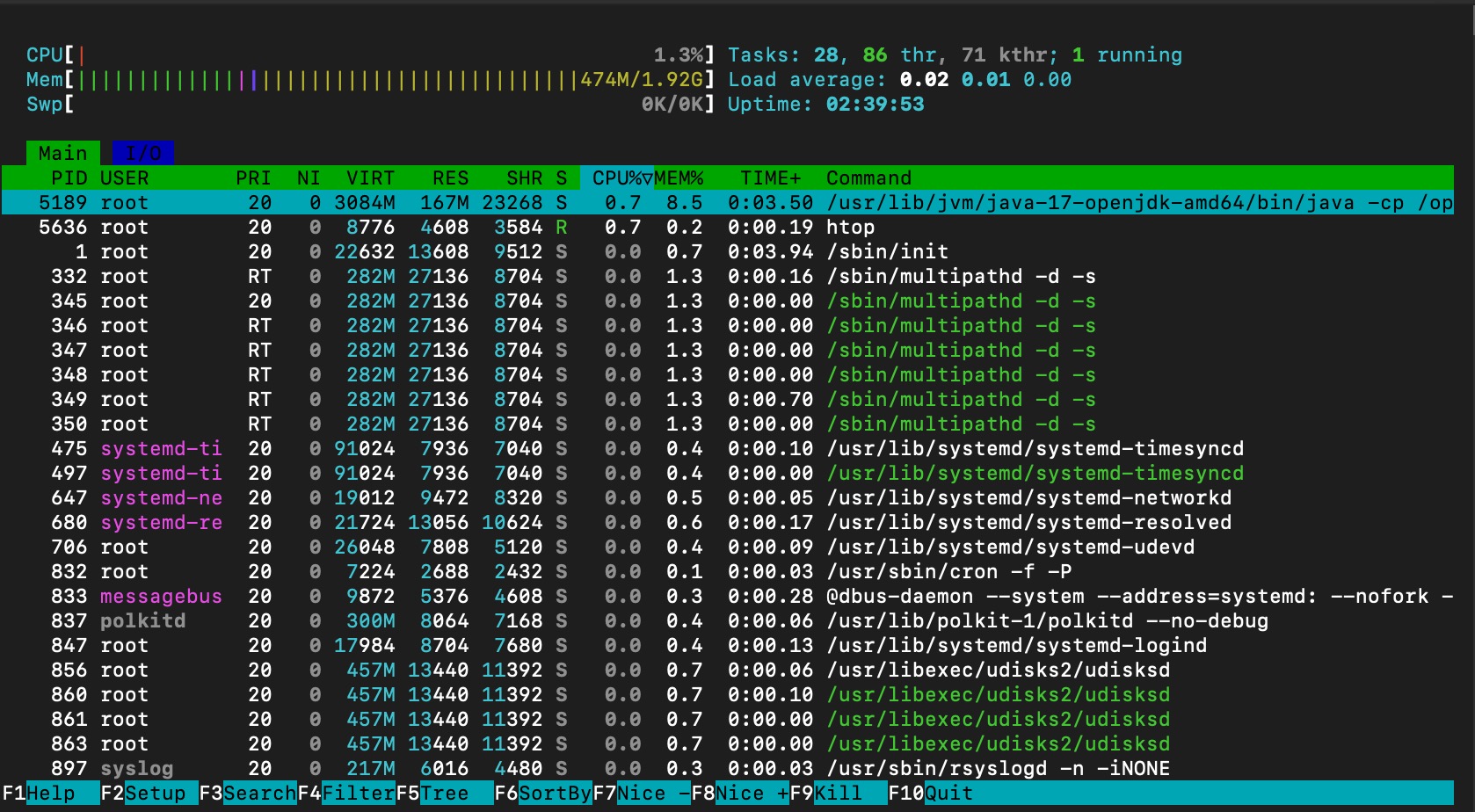 memory consumption after spark worker is running without any JOBS
memory consumption is stay at ~400mb, however the cpu utilization is jumping to 1.3%.
Note that the memory consumption is not increased due to the worker is idle (not job assigned/submitted for this worker yet!)
Summary
yes, apache spark can run under a virtual machine with only 1 vCPU and 2 gigs of ram because:
- master+ single idle worker spark consume +- 400~500 mb of RAM (included the JVM and the ubuntu OS)
- 1024 mb is reserved for the worker once it received the job or task(JAR or python script)
- 2 gigs - 1,5 gigs = 500 mb of free ram in case overhead is occured.
- number of ram assigned to worker can be adjusted (however this will depend on the actual work load, require further testing)
however, a further real test need to be conducted by submitting a spark job which process x mb amount of data.