Reverse Engineering from UI Wireframe and Mockup
One of methodology to create user story from given wireframe by reverse engineer the screen.
However, this method ideally can only be executed by frontend developer who tried to become business analyst and got a task to create user story as it require understanding about web development.
sample use cases: Text-transformator tools to transform sentence into newly formatted sentence based on four modification parameter:
- Font Visual - Adjusting the font weight, add underline, etc
- Character Replacement - repalce word or character with symbol, new word, etc
- Character Enrichment - enrich character or word at certain position
- Capitalization - transform the sentence into Perfect Case, CamelCase, etc
these capabilities then translated into following screen
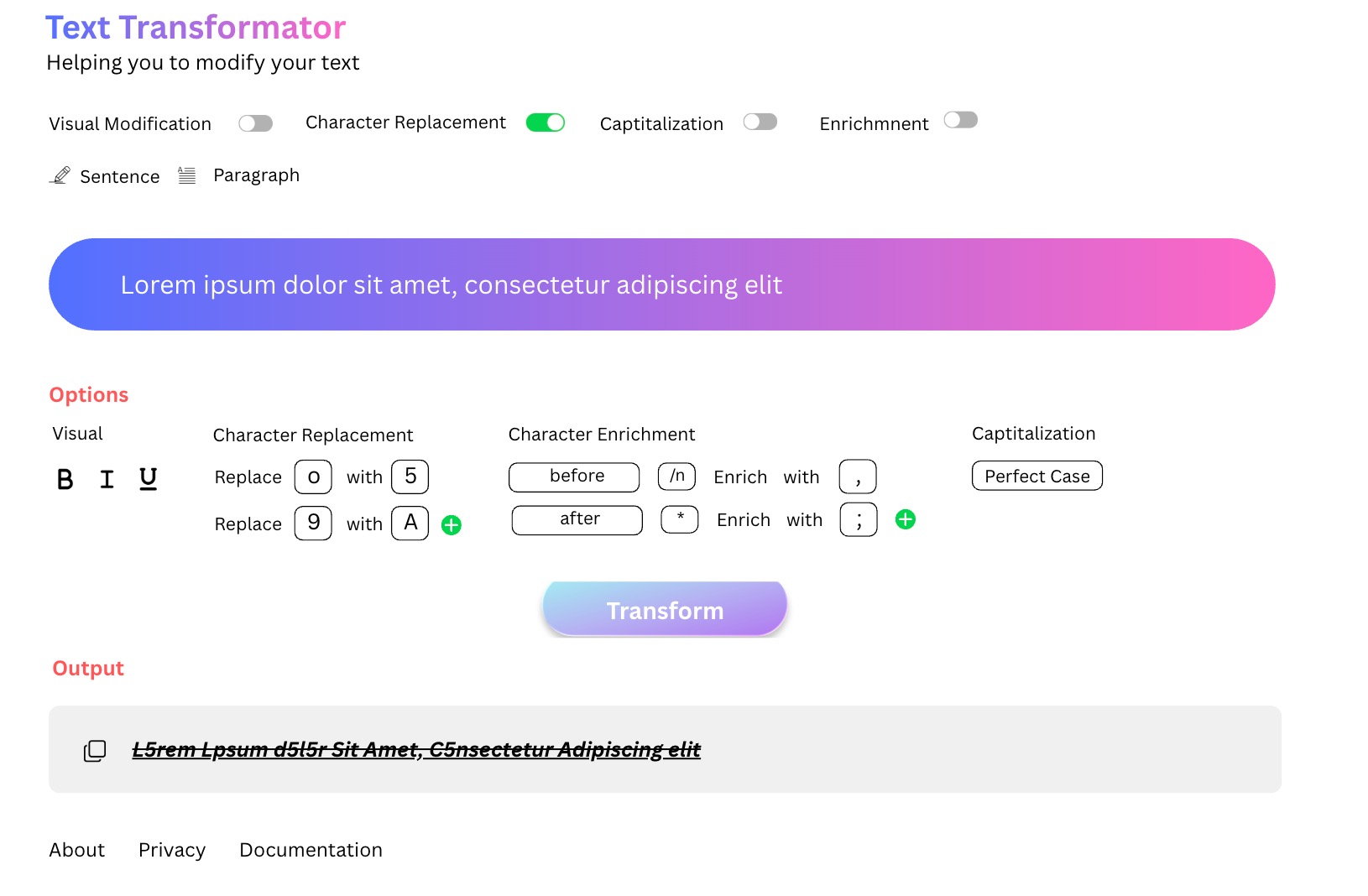 Text transformator tools mockup
a typical business analyst without knowledge or experience on web development will definitely create single user story from that one screen.
Deconstruct Wireframe or Mockup into User Stories
Reverse engineering on context of web development is an activity to deconstructing / decompose an existing mockup or screen into smaller pieces to understand how it work.
a regular BA dont understand how to built it. Hence, most logical way to structure it into user story is by creating one story per screen and then have the developer assess it during story point discussion.
Nothing wrong with this approach, its just waste the developer time to detailing out the user story’s task later during design sprint.
If the business analyst can already divide and conquer the screen into smaller pieces of developable user stories from the beginning, it will save the team time and theoritically increase productivity.
Deconstructuring the Screen
note: this decontruction activity might be dependent on the developer preferences.
There are at least five “division” (div) component on the screen which group some element into single block.

First part is the website header. Consist of the website title and jargon.

Second part is text input along side with the toggle to enable which transformation parameter.
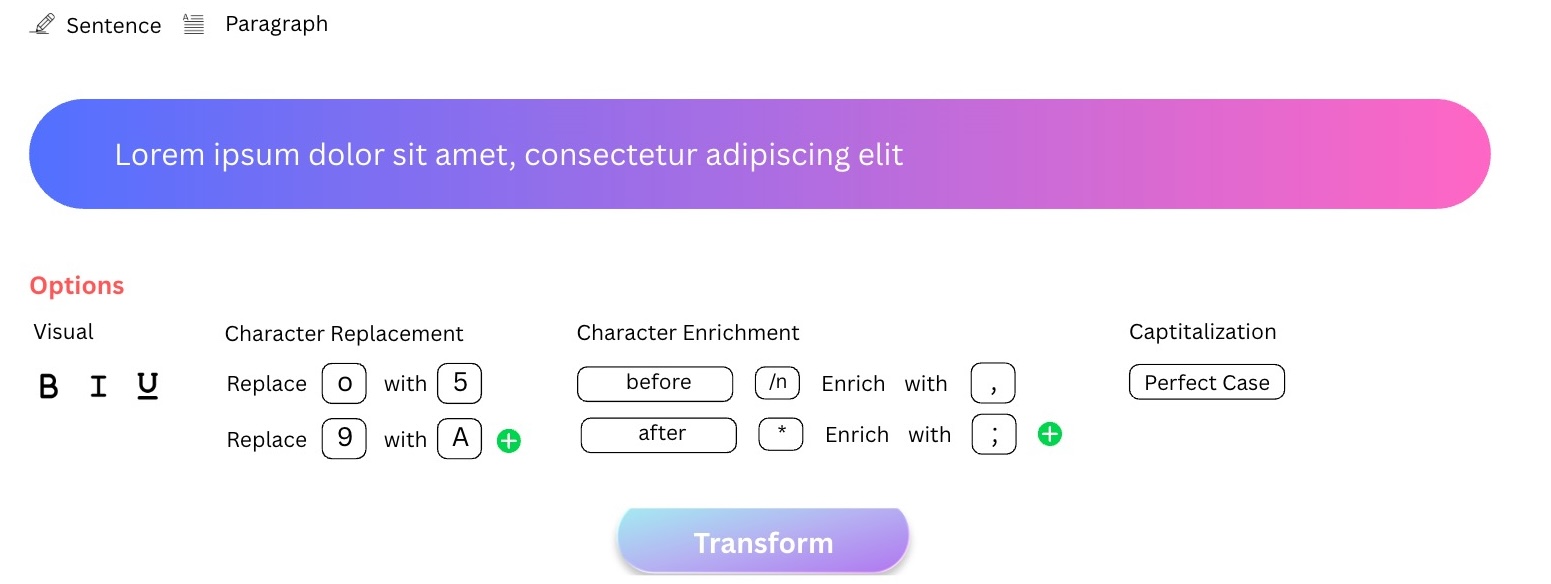
Third part, the most complex one is transformation action which triggered after user click the buttom
 New Formatted Text Visualization
Fourth part is the output visualization and last part if the website footer.

If the frontend code is applying reuseable component, then each of the divison usually will managed separately on different source code file, allowing developer to work on different screen part in parallel, eventhough there is dependencies from one division to another as it can be solved using stub / agreed interfaces.
Converting Each of the Web Divison into User Stories
“INVEST” is a wellknown principle to write user stories which stands for independent, negotiable, valueable, estimable, small and testable.
Breaking down the screen into small web divison will ensure the user stories follow two out of six INVEST principle which are small and independent, because it has been divided per smallest workable web divison.
below is the extracted user stories from these five smallest workable web divison.
| No | User Stories | Smallest Divisino Coverage |
|---|---|---|
| 1 | as a user i wanted to view the tools name and all available information related to the tools so that i can understand about the tools |
Header & Footer |
| 2 | as a user i want to transform the text visual, re-capitalization, replace some character or words and add new character or word into it so that i can reduce my effort when doing my job as writer |
Transformation Toggle & Core Transformation Logic |
| 3 | as a user i wanted to copy the newly formated text r so that i can paste it into my work document |
New Formatted Text Visualization |